Configuring ScanSnap Manager (for Windows users)
79
zWithout Using the Quick Menu
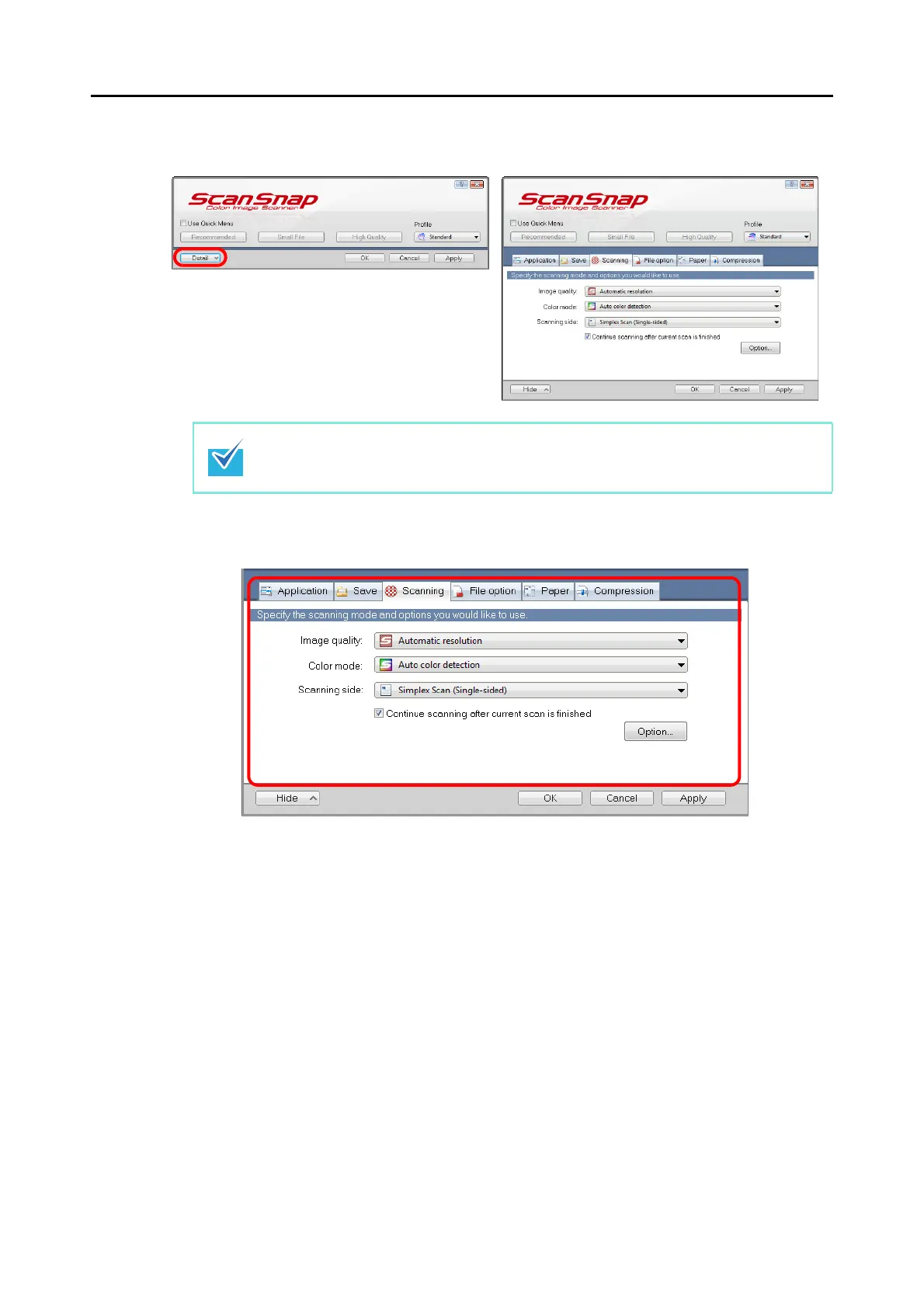
3. Change the scan settings in each tab.
The following items can be configured in each tab:
For details, refer to the ScanSnap Manager Help.
z [Application] tab
- Application to be used with the ScanSnap
z [Save] tab
- Folder in which scanned image is saved
- File name used for saving the scanned image
z [Scanning] tab
- Scanning
(Which image quality to scan with, use color, gray or black & white, enable or
disable [Setting for text only document], [Allow automatic blank page removal],
[Correct skewed character strings automatically], [Allow automatic image rotation]
and [Continue scanning after current scan is finished].)
The ScanSnap setup dialog box retains the display status from the last time the ScanSnap
was used. For example, if it was closed in detail view mode, the dialog box is displayed in
detail mode next time you open it.



 To Next Page
 Loading...













