Configuring ScanSnap Manager (for Windows users)
94
Receiving or hiding the ScanSnap's communication status notifi-
cations
You can specify whether or not to receive notifications of the ScanSnap’s communication
status with a pop-up balloon.
Configure the setting in the following procedure.
1. Select [Help]
[Preferences] from the Right-Click Menu.
For details about the Right-Click Menu, refer to
"Right-Click Menu" (page 59).
The [ScanSnap Manager - Preferences] dialog box appears.
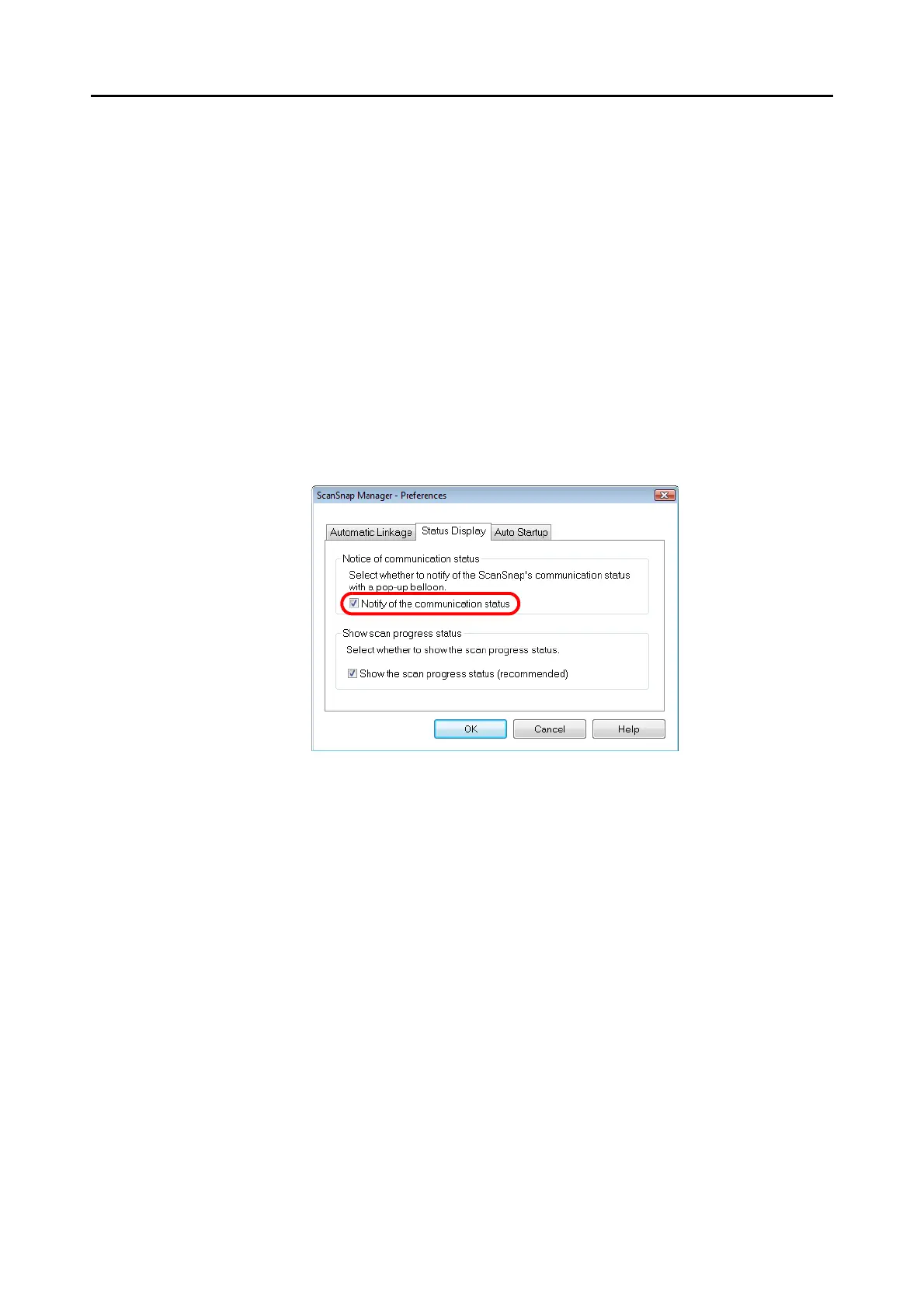
2. In the [Status Display] tab, either select or clear the [Notify of the
communication status] check box.
If you select the [Notify of the communication status] check box, you will be notified of
the communication status in conjunction with the ScanSnap being turned ON/OFF.
If you clear the [Notify of the communication status] check box, you will not be notified of
the communication status.
3. Click the [OK] button to close the [ScanSnap Manager - Preferences]
dialog box.



 To Next Page
 Loading...













