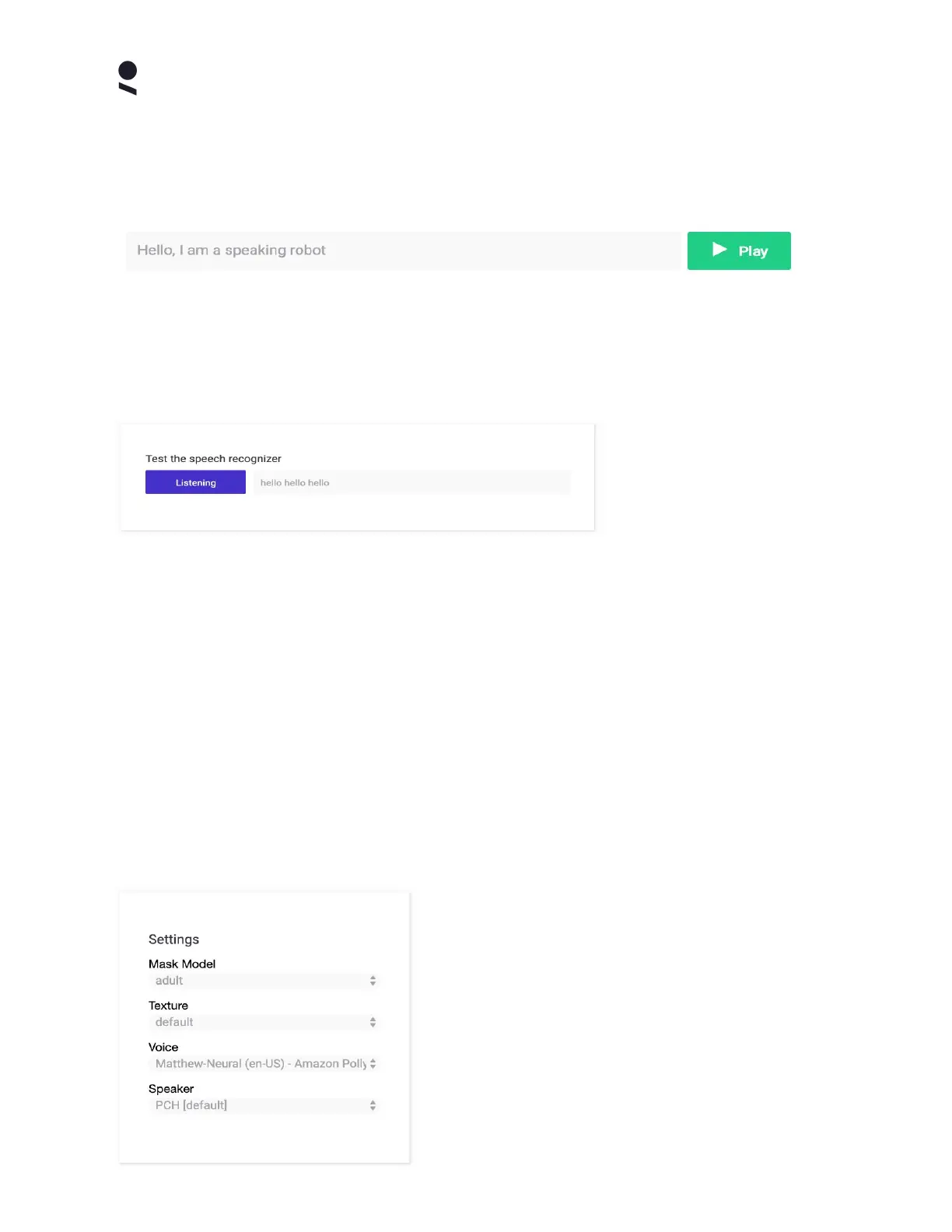
Speech Output Panel
The Speech Output Panel enables you to enter text of your choosing, and on selecting the
Play button, having the robot speak the entered text, using it's speech synthesis features
Note that the voice used in speech output is the voice selected in the Home Settings Panel.
Speech Recognition Panel
The Speech Recognition Panel enables you to test the function of the robot microphones as
well as speech recognition feature.
When you select the Listen button, the robot will indicate that it is listening. Simply speak
some words or a sentence of your choosing (in English), and the robots' understanding of your
speech will appear in text on the Speech Recognition Panel. The orange bar dynamically
indicates the amplitude (volume) of audio detected by the robots microphone, as you speak.
If the robot does not register your speech - check the settings tab to verify your microphone
settings and verify your internet connection, as internet connectivity is required by the speech
recognizer features.
Home Settings Panel
The Home Settings Panel gives you access to some of the most frequently used settings on the
Home Tab (these settings are also all available under the Settings Tab).
Mask Model enables you to select a face geometry,
the standard mask model is called Adult, and this
matches the default physical mask shipped as
standard with your robot. Other mask models may
require different physical masks in order to function
correctly.
Texture enables the selection of a face texture set,
which is used to paint the mask model, giving your
robot different facial identities. Your robot includes a
Copyright Furhat Robotics AB © 2020 - Commercial In Confidence


 To Next Page