policies preventing this, please check with your local administrators if you encounter problems
with this.
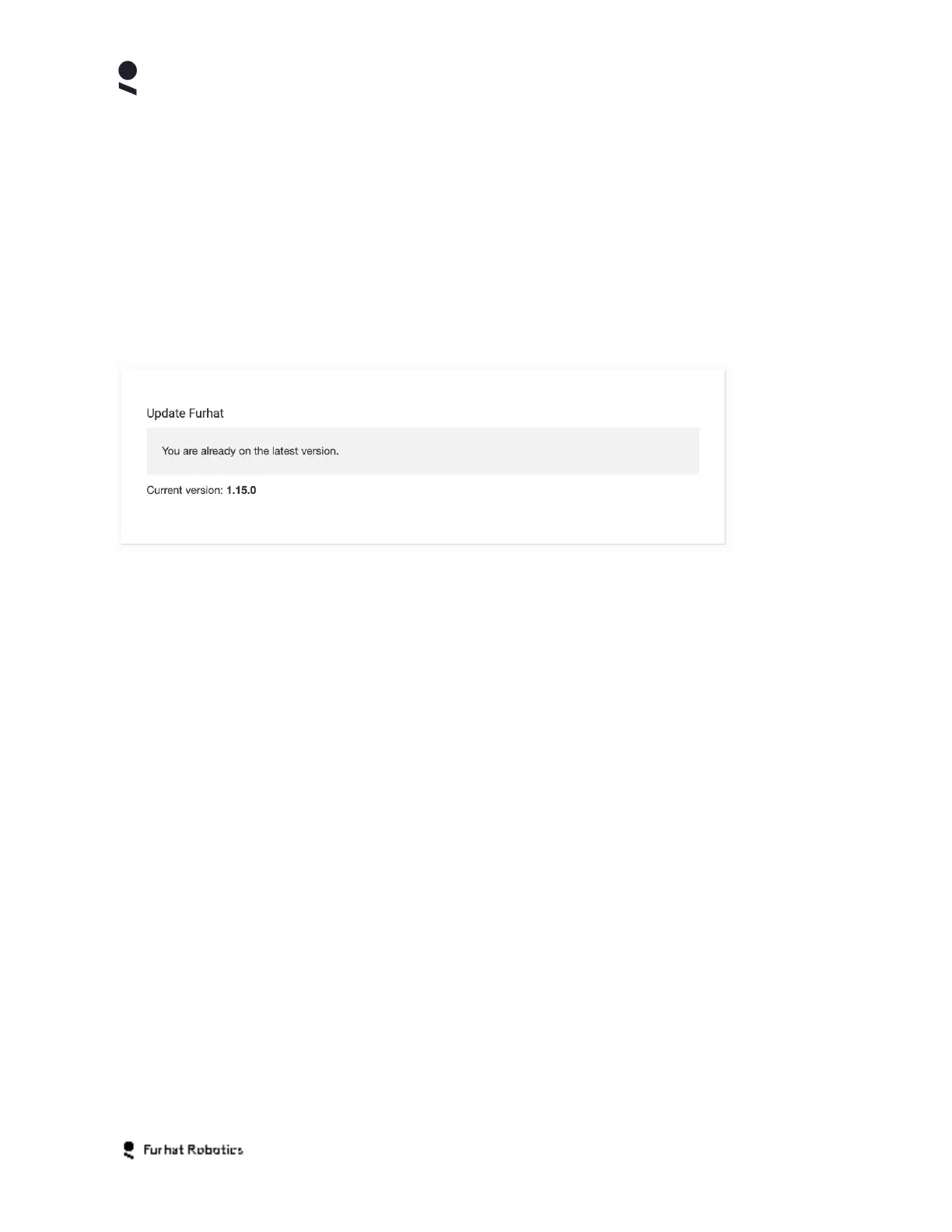
Update Panel
Furhat Robotics releases updates to FurhatOS on a regular basis. We recommend you run our
latest software and your robot supports remote upgrade using the Update feature.
The Update Panel shows you which version of FurhatOS your robot is running. It also indicates
if you are already on the latest version of the system
If you wish to upgrade your robot, please select the Update button and observe the instructions
on screen.
The update feature should be used only when connected to a network with good performance
as the process may require downloading a significant amount of data. Similarly, avoid triggering
the update feature when connected to a network with data caps or similar restrictions.
The duration of the update process is highly dependent on your network performance with the
actual update on the robot taking less than 5 minutes once the software packages have been
downloaded to the robot.
Note also that your robot will restart as part of the upgrade procedure and that you may lose
contact with your Web-Console browser session as a consequence of the restart procedure.
Camera Panel
If your robot is of type Research, then you will have an additional settings panel for the Camera.
Currently, this panel provides access to the Camera Feed feature.
The camera feed feature enables the streaming of live video from your robot to off-robot
systems via the network. The default setting for this feature is Disabled.
Copyright Furhat Robotics AB © 2020 - Commercial In Confidence


 To Next Page