Unboxing
Following these steps will enable you to get your robot safely and correctly unpacked
● Remove the cardboard shipping packaging from the exterior of the protective hardshell case
● Place the case on a firm, flat surface, with its feet down and the Furhat logo facing up
● Locate the 4 lid locking clasps, open them one by one, by firmly pulling up on each clasp
● Open the lid of the case, revealing the white robot cover plate with Furhat logo cut-out
● Lift off the white robot cover plate, safely store it to the side, placing it back in the case later
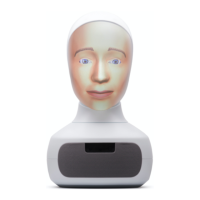
● Carefully lift the robot unit out, taking care to protect the neck articulation as you lift
● Place the robot unit on a firm, flat, uncluttered surface, with access to AC power
● If the face mask is not already mounted, locate the mask, and mount it to the head
● Seat the mask carefully, snapping it into place, using the 4 magnetic location tabs
● Visually check that your robot is clean and free of damage
Preparation
After unboxing, follow these steps in order to complete initial setup of your robot:
● Locate the USB microphone and plug it into one of the USB ports at the rear of the robot
● If you are planning to configure your robot to connect to a wired ethernet network
○ Connect a live ethernet cable to the ethernet network port at the rear of the robot
● If you are planning to configure your robot to connect to a password protected WiFi network
○ You will require an input device for password entry (see input devices below)
● Locate the Power supply module & firmly insert the DC plug into the power port of the robot
● Connect the AC mains cable to the power supply module & an appropriate AC outlet
Copyright Furhat Robotics AB © 2020 - Commercial In Confidence


 To Next Page