Face & Neck Settings Panel
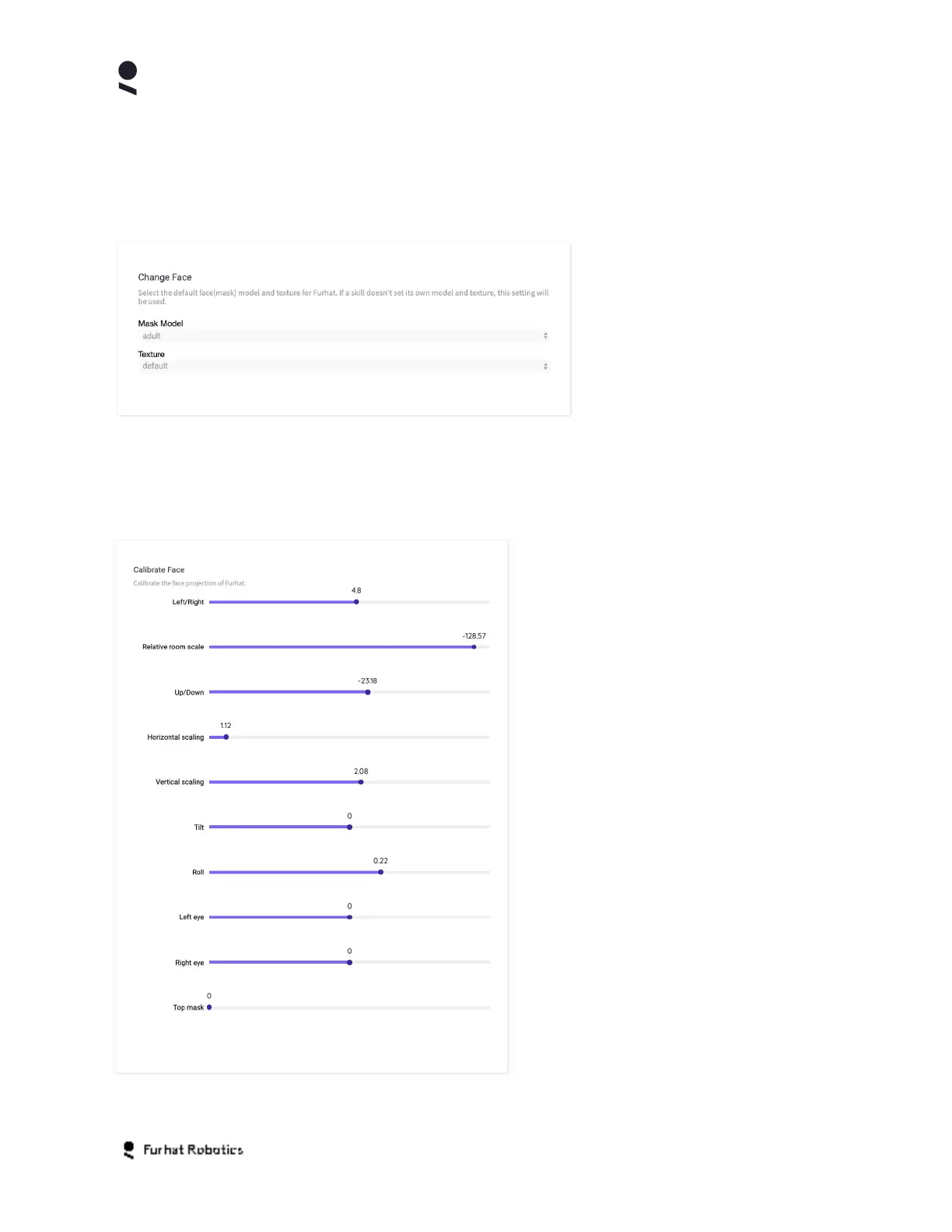
The following settings are available for your robots Face and Neck. The Change Face Panel
enables you to change the Mask Model and Texture. Please refer to the description in the
earlier Home Tab chapter.
The Face & Neck Settings Panel also enables you to calibrate a wide array of additional face
settings.
The left/right setting determines
the centering of the face on the
horizontal plane
The relative room scale setting
calibrates the face position in space
relative to lighting sources in the model
The up/down setting enables you to
center the face on the vertical plane
The horizontal scaling setting
enables you to scale (stretch/shrink) the
face in the horizontal direction.
The vertical scaling setting
enables you to scale (stretch/shrink) the
face in the vertical direction.
The tilt setting enables you to pan the
face in the horizontal direction.
The roll setting enables you to pitch
the face in the vertical direction.
Copyright Furhat Robotics AB © 2020 - Commercial In Confidence


 To Next Page