Selecting the button will allow you to select a skill file from any file system reachable from the
device from which you use your robots Web-Console. The skill file must be in FurhatOS
.skill format as generated by an appropriate version of the Furhat SDK (www.furhat.io)
Running & Managing Skills
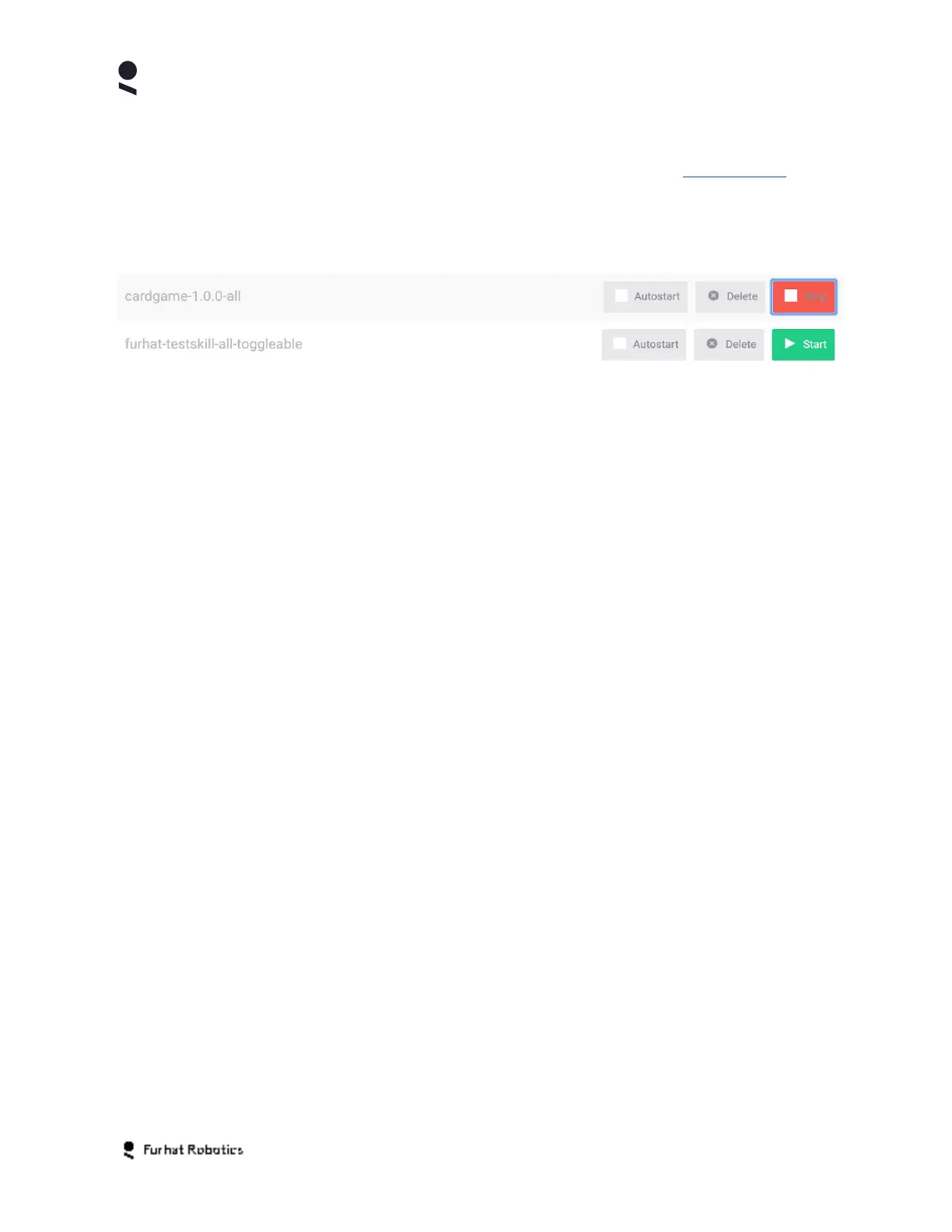
The Skills Tab also allows you to run, configure, and manage your skills as follows
If you want a particular skill to run each time you start your robot, you should select the
Autostart option on the relevant skill. Note, that only one skill at a time can be marked as
Autostart as FurhatOS currently runs one skill at a time.
If you wish to start a particular skill, or stop the currently running skill, then select the Start or
Stop buttons for the relevant skill as desired.
If you wish to uninstall a skill from your robot, then select the Delete button and confirm the
removal of the skill in the confirmation dialog that follows.
Copyright Furhat Robotics AB © 2020 - Commercial In Confidence


 To Next Page