Using Your Robot
Running Skills On Your Robot
Skill is the name given to applications that run on your robot. Skills enable the robot to interact
with users in the robots interaction space using speech input and output, facial expressions,
gestures and motor movements, tapping into the full expressive power of the robot.
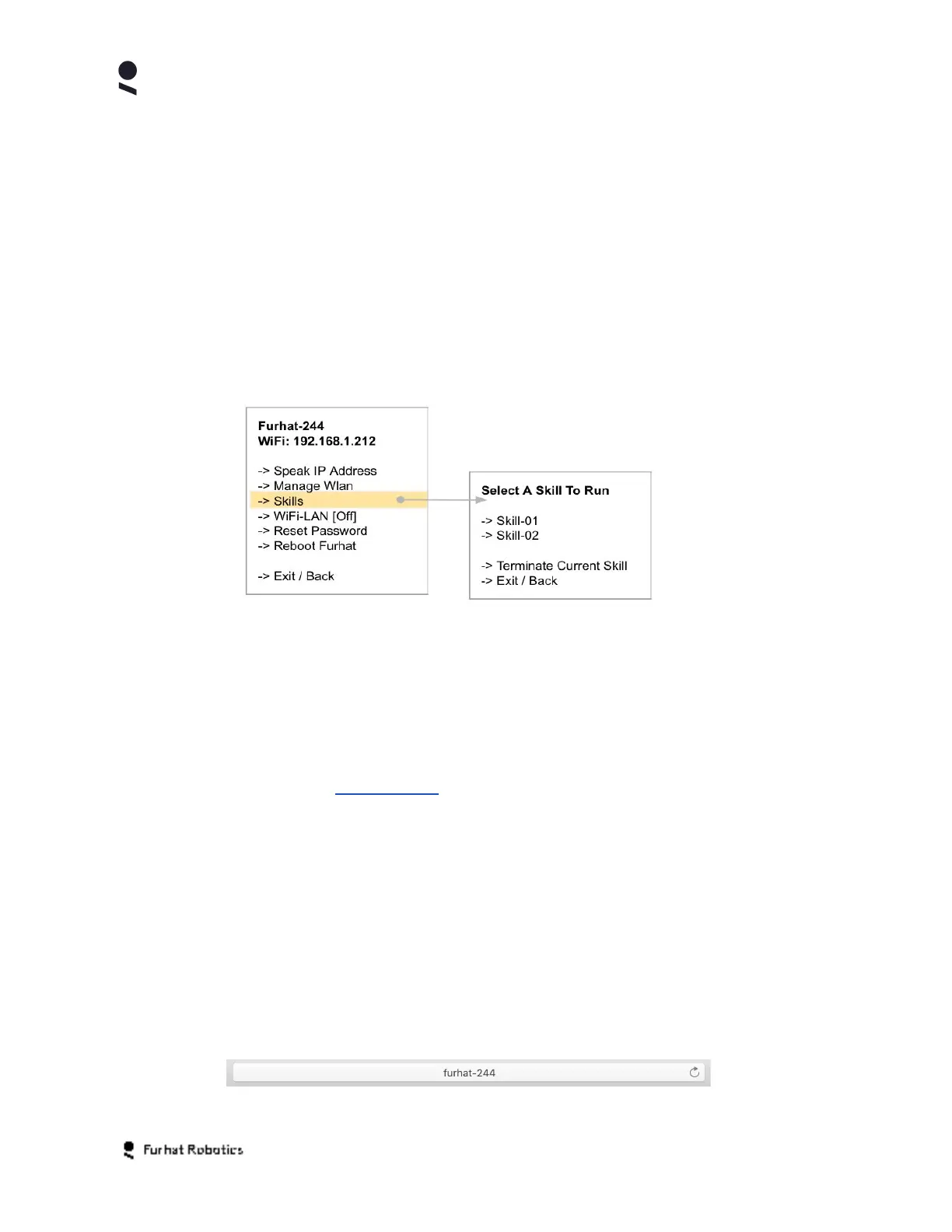
If you have skills installed on your robot, you can View, Start and Stop any of these using
the skills sub-menu in the on-face menu.
You can also View, Start, Stop, Install and Uninstall skills from your robot using the
Skills features within the robots Web-Console.
Developing On Your Robot
If you are using your robot as part of a Robot Development Kit (RDK), you will need the Furhat
SDK and can access all of the SDK documentation, as well as documentation relating to the use
of your robot with the SDK at www.furhat.io
Operating Your Robot Using Web-Console
Your robot has a Web-Console that allows you to access, control, and configure the robot
remotely using a web browser. In order to access the Web-Console you should connect the
Computer / Tablet / Device from which you intend to access the Web-Console to the same
network as you have connected your robot in the earlier configuration steps.
Your robot uses its robot name as it's formal host name on your network, so simply typing the
robot name into your browser URL pane should navigate you to the robot login page
Copyright Furhat Robotics AB © 2020 - Commercial In Confidence


 To Next Page