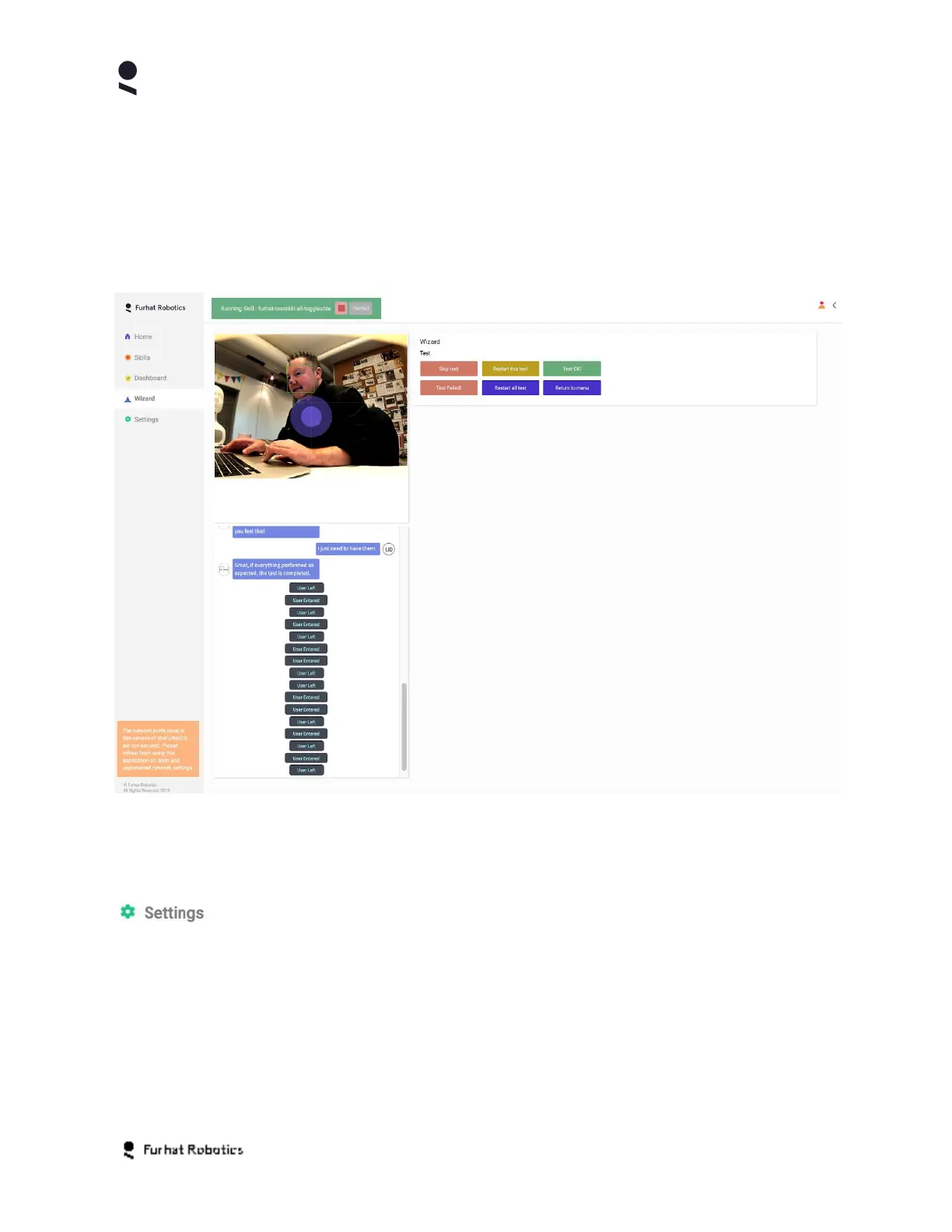
Wizard Tab
The Wizard Tab offers many of the same features as the Dashboard Tab, with the key
difference that the Wizard panel, that is defined and populated by a Skill, allows more freedom
for the skill developer to control the layout of the buttons and controls within the Wizard Tab (as
compared to the Dashboard tab where the skill developer has no control over the layout)
Settings Tab
The Settings Tab enables you to view and change all the operator level settings on your robot.
You can access the Settings Tab by clicking on the Settings button, you will then be
presented with a range of settings arranged in functional groups
Copyright Furhat Robotics AB © 2020 - Commercial In Confidence


 To Next Page