Contents
Contents 2
Introduction 4
Getting Started 6
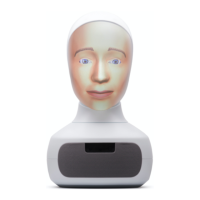
Your Robot 6
Unboxing 7
Preparation 7
Start Up 8
Shut Down 8
Robot Type 9
Using The Rotary Controller & On-Face Menu 9
On-Face Menu Functions 10
Using Other Input Devices 10
External Keyboard 10
External Screen/Touch Panel 10
First Time Network Connection 11
Fixed Ethernet Connection 11
WiFi Connection 11
Verifying Internet Connection 12
Using An External Screen With Your Robot 12
Setting Up External Screen 12
Using Your Robot 14
Running Skills On Your Robot 14
Developing On Your Robot 14
Operating Your Robot Using Web-Console 14
Home Tab 15
Video Panel 17
Gaze Control 17
Roll Control 17
Speech Output Panel 18
Speech Recognition Panel 18
Home Settings Panel 18
Gesture Panel 19
Skills Tab 20
Installing Skills 20
Running & Managing Skills 21
Copyright Furhat Robotics AB © 2020 - Commercial In Confidence


 To Next Page