Robot Type
A Furhat robot can be of two types: Production or Research, these types are configured in
software by Furhat Robotics. The different types enable specific software functions; for
example, research robots have access to the full library of voices from Acapela and also have
the Camera Feed feature enabled. You can check your robot’s type in the settings tab of the
Web-Console, robots configured as type Research have a camera settings panel visible in the
Web-Console.
Using The Rotary Controller & On-Face Menu
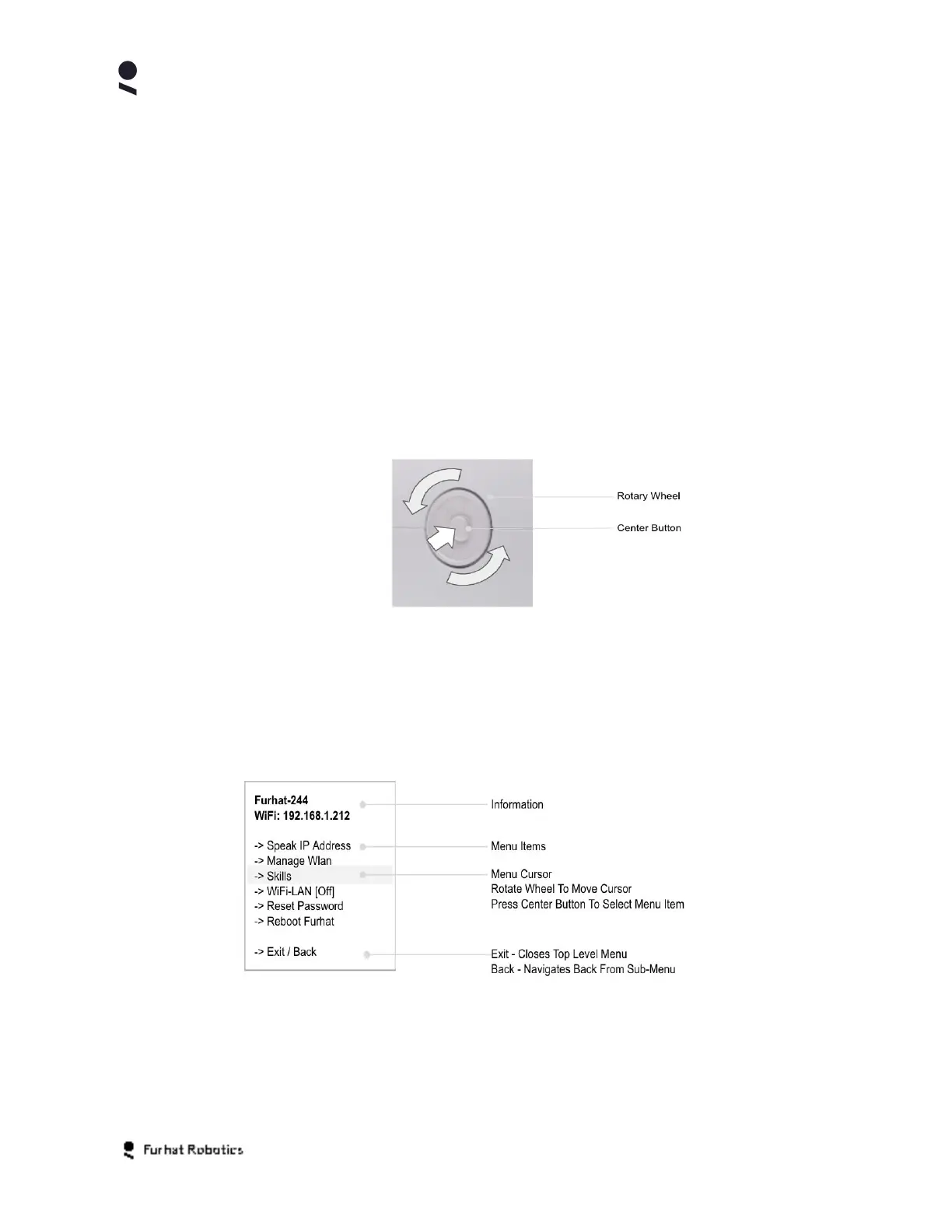
Your robot has a built-in rotary controller, located at its rear. The rotary controller is used to
control the audio volume of the robot, as well as to activate and use the robots on-face menu.
Rotating the controller wheel raises and lowers the robots audio volume, with the robots LED
ring increasing in brightness in proportion to the set audio volume.
Selecting the center button of the rotary controller has two functions. The first is to activate the
on-face menu, the second is to select an item that has been highlighted on the menu.
Within the on-face menu, rotating the controller wheel moves (scrolls) the menu cursor to any
desired menu item. Pressing the center button selects that menu item and navigates to the
related sub-menu or action. Selecting the Back or Exit menu item enables you to navigate up
a level in the menu or close the menu. Double pressing the center button also closes the menu.
Copyright Furhat Robotics AB © 2020 - Commercial In Confidence


 To Next Page