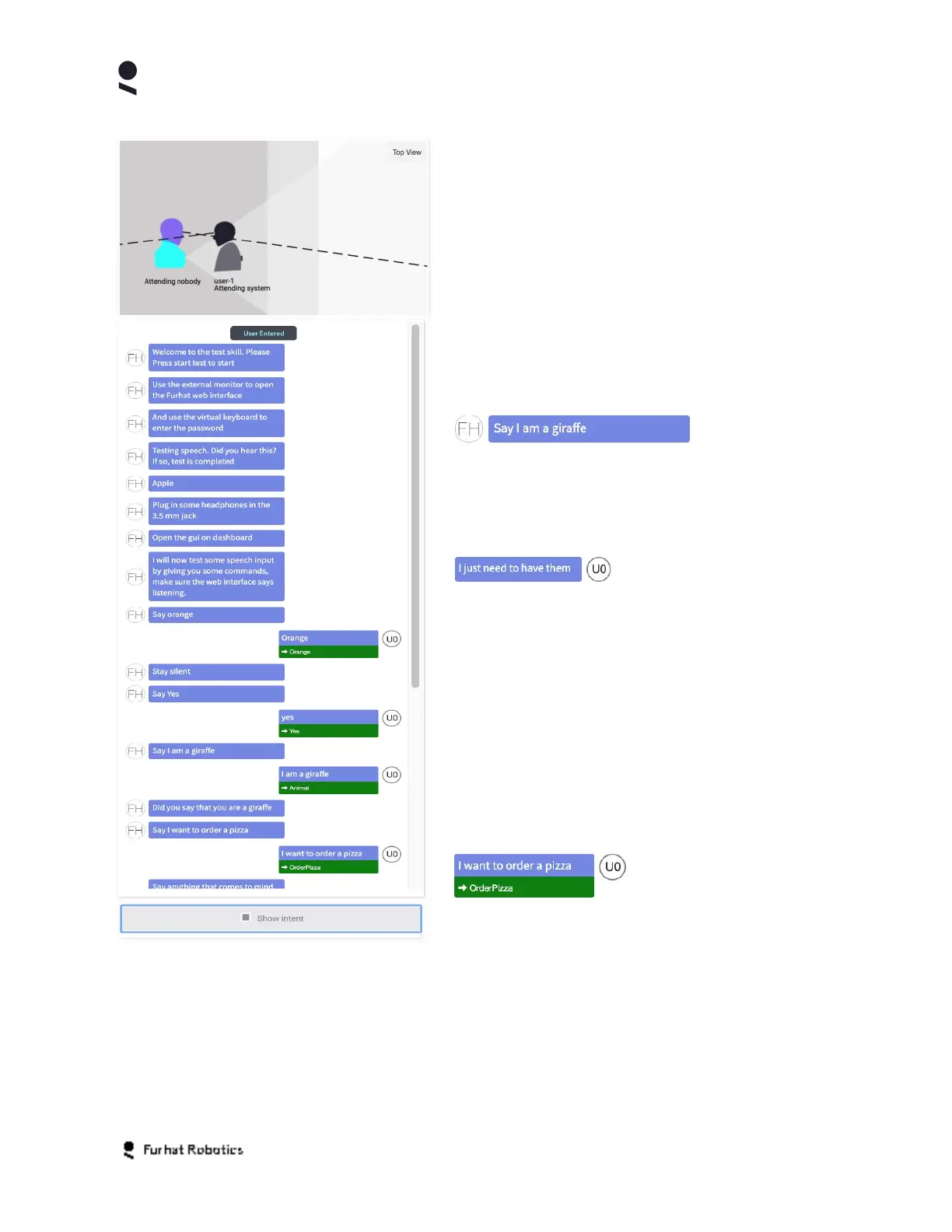
You can toggle between Top View and Side
View using the toggle button in the top right of the
Attention Panel
Skill Log Panel
The Skill Log Panel shows key details of the
interaction flow within the currently running skill.
States, actions and utterances made by your robot
are denoted with the label (FH) and left justified
within the log panel.
Utterances detected from users are denoted with a
label of the form (U-N) and are right justified within
the log panel.
Additional key events within the dialog flow are
displayed with center justified labels within the log
panel. Examples of these are events such as User
Entered, User Left, Idle, Listening etc.
If the Show Intent option at the bottom of the
panel is selected then the log panel will annotate
user utterances with the intent that the system
matches the utterance with.
Copyright Furhat Robotics AB © 2020 - Commercial In Confidence


 To Next Page