Start Up
Once your robot has been prepared, you are ready to startup & configure your robot as follows:
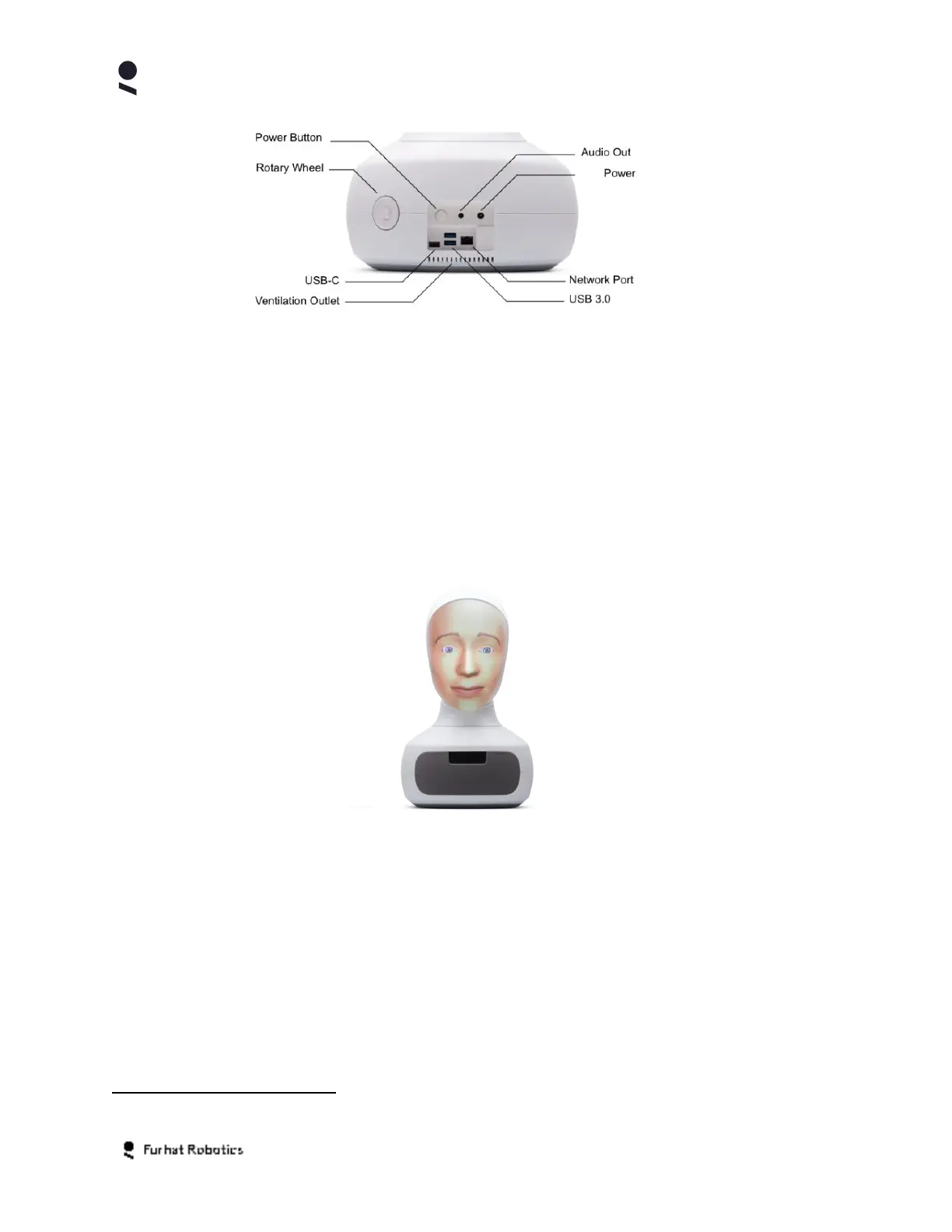
● Push the Power button on the rear of the robot once to start the robot
● Your robot’s face will illuminate, and after a few seconds, the robots face will be displayed
● The face will display natural face movements such as eye movements after startup
Shut Down
In order to shutdown your robot, please do as follows:
● Push the Power button on the rear of the robot once to shut down the robot
● Disconnect the robot from its AC power source , unless you plan to use it soon thereafter.
1
1
Currently shipping robots continue to power the projector system as long as the robot is connected to an AC power source.
Copyright Furhat Robotics AB © 2020 - Commercial In Confidence


 To Next Page