4. Basic Operation of Measurement Software
This section describes the basic operation of measurement software.
4-1 Starting and Exiting Software
Starting software
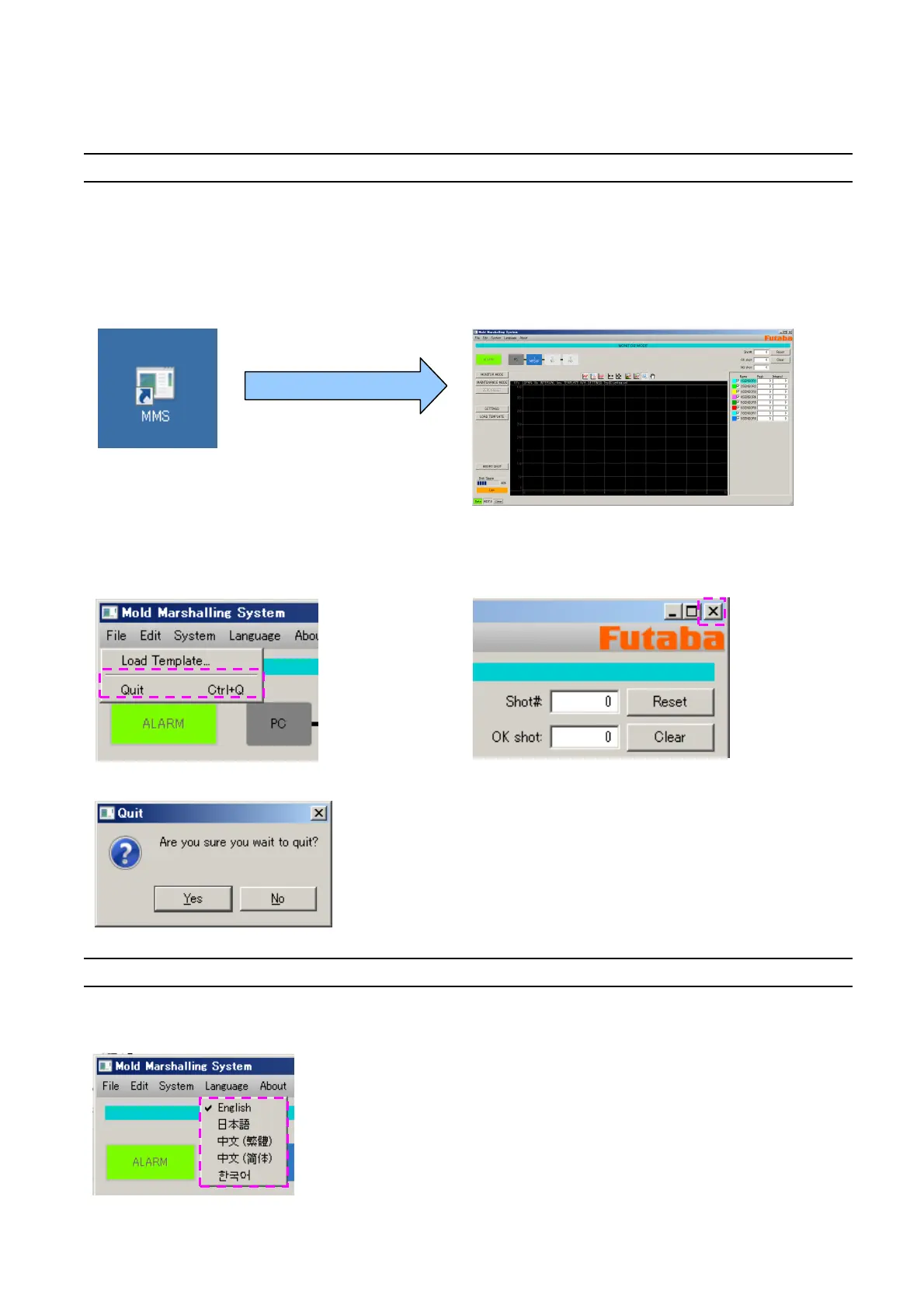
Double-click the shortcut “MMS” on the desktop.
* If the shortcut “MMS” is not found, specify the “MMS” executable file in “home/username/MMS/app” and
click “Create Link” to create a shortcut.
The main screen appears.
Exiting software
Select “Quit” from the main menu, or click close button “x” on the upper right corner of the screen.
The following confirmation message is displayed. To exit, select “Yes”.
4-2 Changing the Language
The language can be changed by selecting “Language” from the main menu.
* Japanese or English can be selected.
(As of December 12, 2012)



 To Next Page