13
4.2. AVI Recording
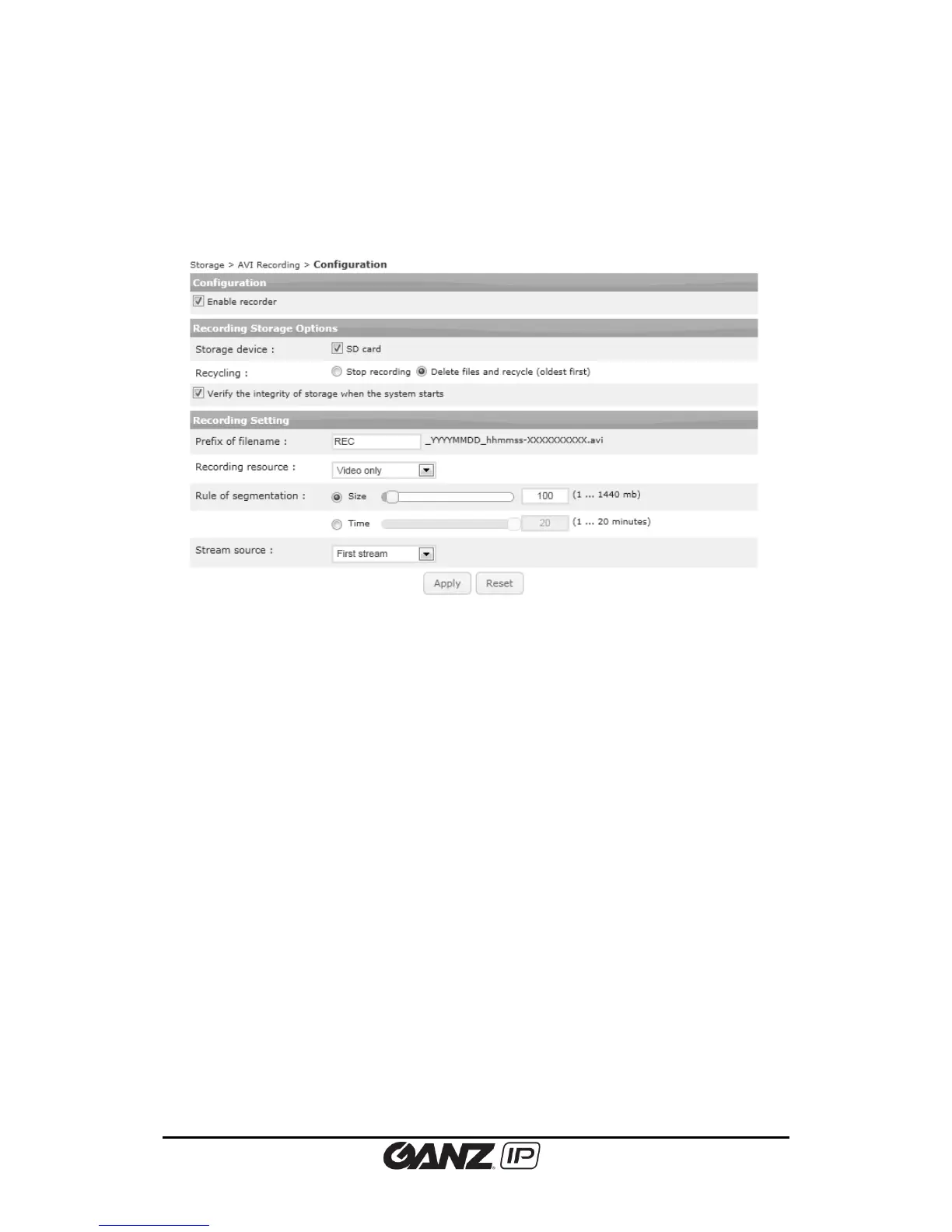
For the AVI recording configuration, click Storage > AVI Recording > Configuration. On this
page, users can enable or disable the recording capability, configure the recording storage
option and recording conditions, and perform the instant recording.
Automatic recording
Configuration
Check the Enable Recorder box to start recording.
Recording storage Options
Select the storage device type from SD card.
Recycling options
Users can select one of the options when the storage is full.
Stop recording: Stops recording and keep the recorded data.
Delete files and recycle (oldest first): Replace oldest files with latest files (based on
dates).
Prefix of filename
Give relevant name that will be used as the recorded file. For easier recognition of duplicate
files, the end of every recording file name includes the date and time information as a default.
Recording resource
Select the choice between ‘Video only’ and ‘Audio+Video’.
Rule of segmentation
- (by) Size: The range of the file size is from 1 to 1440 Megabyte(s).
- (by) Time: The range of the recording length is from 1 to 20 minute(s).



 To Next Page