35
5.3.2. Motion Detection
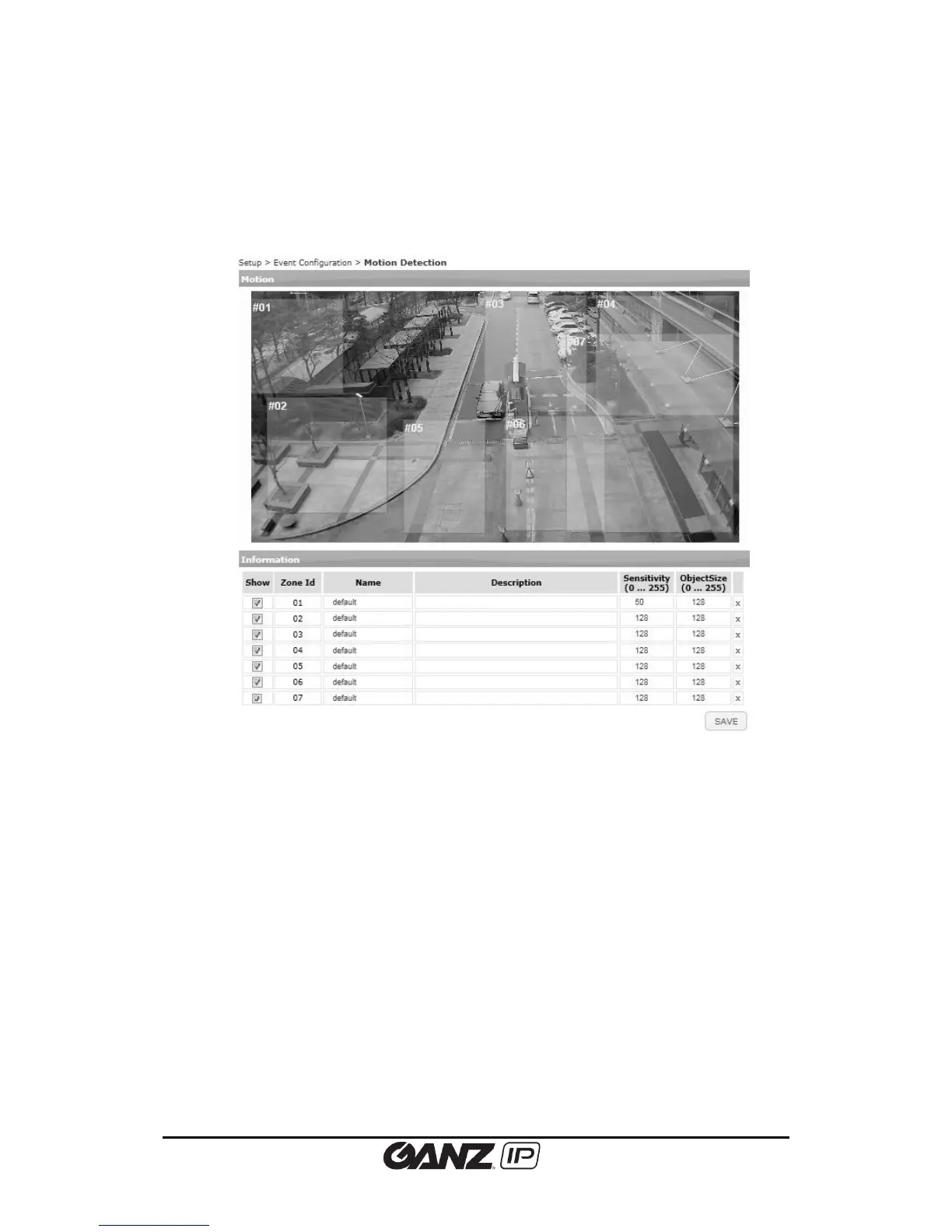
To set up the zones and rules configuration required for the motion detection, go to Setup >
Event Configuration > Motion Detection.
How to configure the motion detection zones
1. On the display window, click the left mouse button and drag the mouse diagonally until
the desired size is made.
2. On the Information panel, configure the drawn motion detection zone; Select or
unselect the Show check box to display/hide the created zone.
3. Provide relevant name and description of the motion detection zone on its text box.
4. Enter the value sensitivity and object size on its text box.
5. Click the Save button to save changes.
What is Sensitivity?
Every motion detection zone is divided into multiple squares, which is called ‘Macro blocks.’
Each of macro blocks consists in groups of 16 x 16 pixels. The value of sensitivity means the
sensitivity of each macro block. To configure the zone less sensitive than the factory default
(128), set the number value higher; to configure the zone more sensitive than the factory
default, set the number value lower.



 To Next Page