21
5.2.2. Repositioning
Note: This part is for the repositionable dome cameras only.
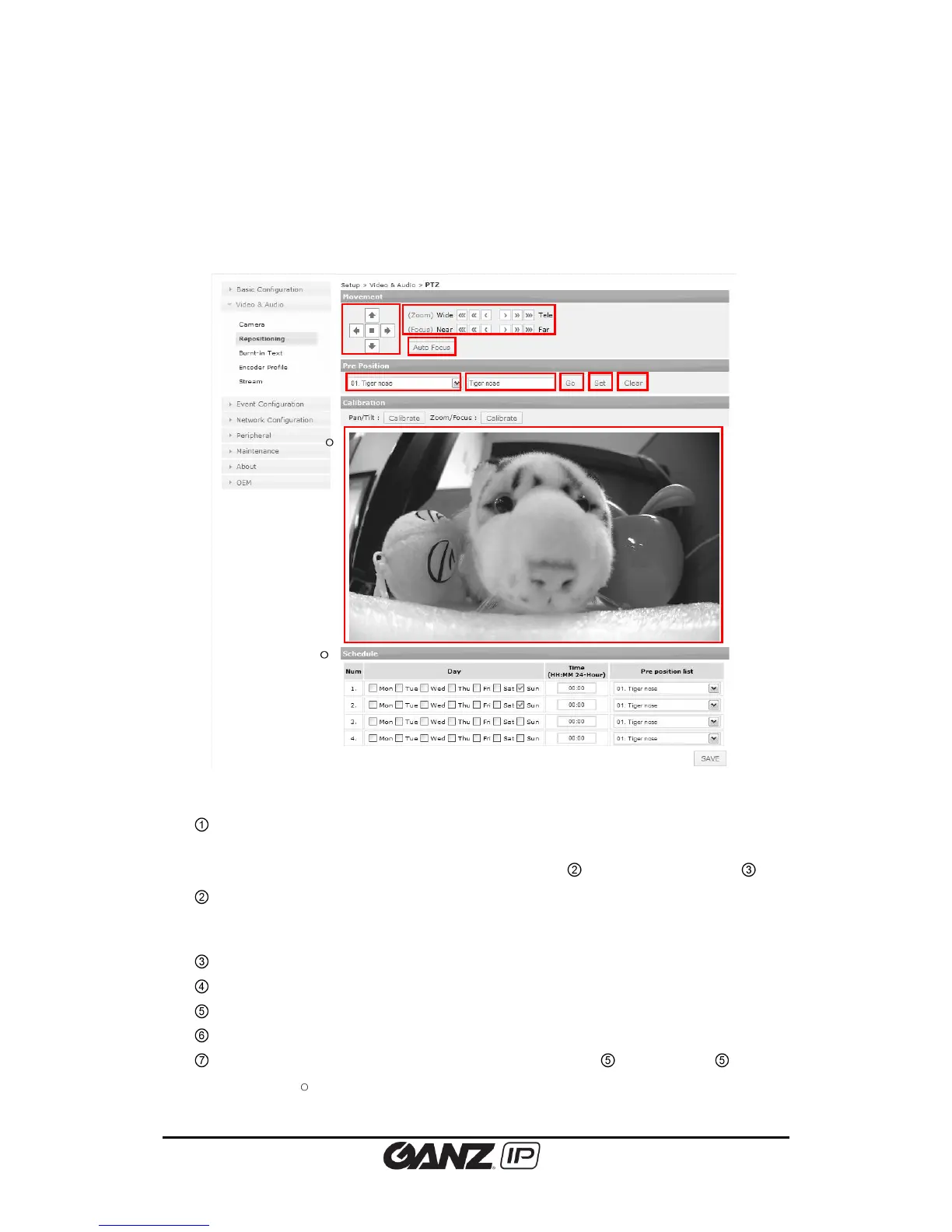
To change the repositioning setting, go to Setup > Video & Audio > Repositioning
Arrow button: The camera can move to 4 directions; up, down, left, and right. The
camera moves to the desired position while the button is clicked and hold. Stop
button can be used while using zoon/focus settings ( ) or auto focus settings ( ).
Zoom/Focus button: 3 levels of movements are available for wide, tele, near and far
movements. Clicking the 3 arrows button moves the lens extensively than 1 arrow
button.
Auto focus: Automatically set the lens focus.
Stored position list (available to store maximum 16).
Text box to enter name of appointed position.
Go: Move to selected position after select one of ’ ④’ list and click ‘Go’ button.
Set: Save the current camera position after setting ④ and . Enter texts in also
appears on
4
and next to the assigned number.



 To Next Page