23
5.2.3. Zoom/Focus
Note: Zoom/Focus is for motorized lens cameras only.
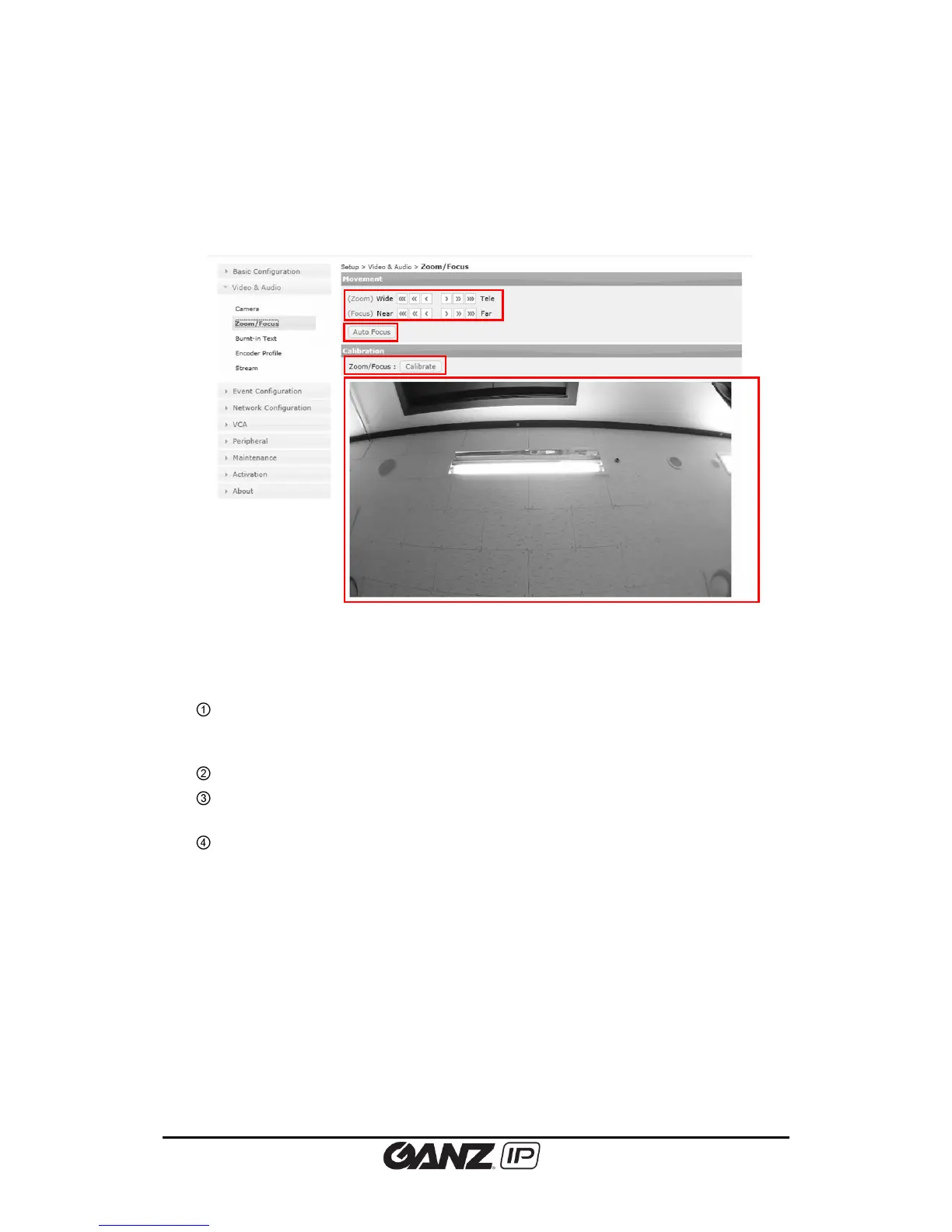
To change the Zoom/Focus setting, go to Setup > Video & Audio > Zoom/Focus
Zoom/Focus button: 3 levels of movements are available for wide, tele, near and far
movements. Clicking the 3 arrows button moves the lens extensively than 1 arrow
button.
Auto focus: Automatically set the lens focus.
Zoom/Focus Calibrate: This function rectifies misalignment by rebooting to a zeropoint
and then aligning to a correct position.
Preview screen.



 To Next Page