52
If your email server requires encryption process of SSL and TLS, select the ‘Enable encrypted
connection (SSL)’ check box. TLS (Transport Layer Security) and SSL (Secure Sockets Layer)
algorithm can be required for the security of communication over networks. It depends on
your email server and you should check out the communication protocol of SMTP server.
Use authentication to log in this server
If login information is mandatory before connecting to the server, check the box. Once the box
is checked, the user name and password boxes appear for user to type.
User name input range: 128 characters limit
Password input range: 32 characters limit
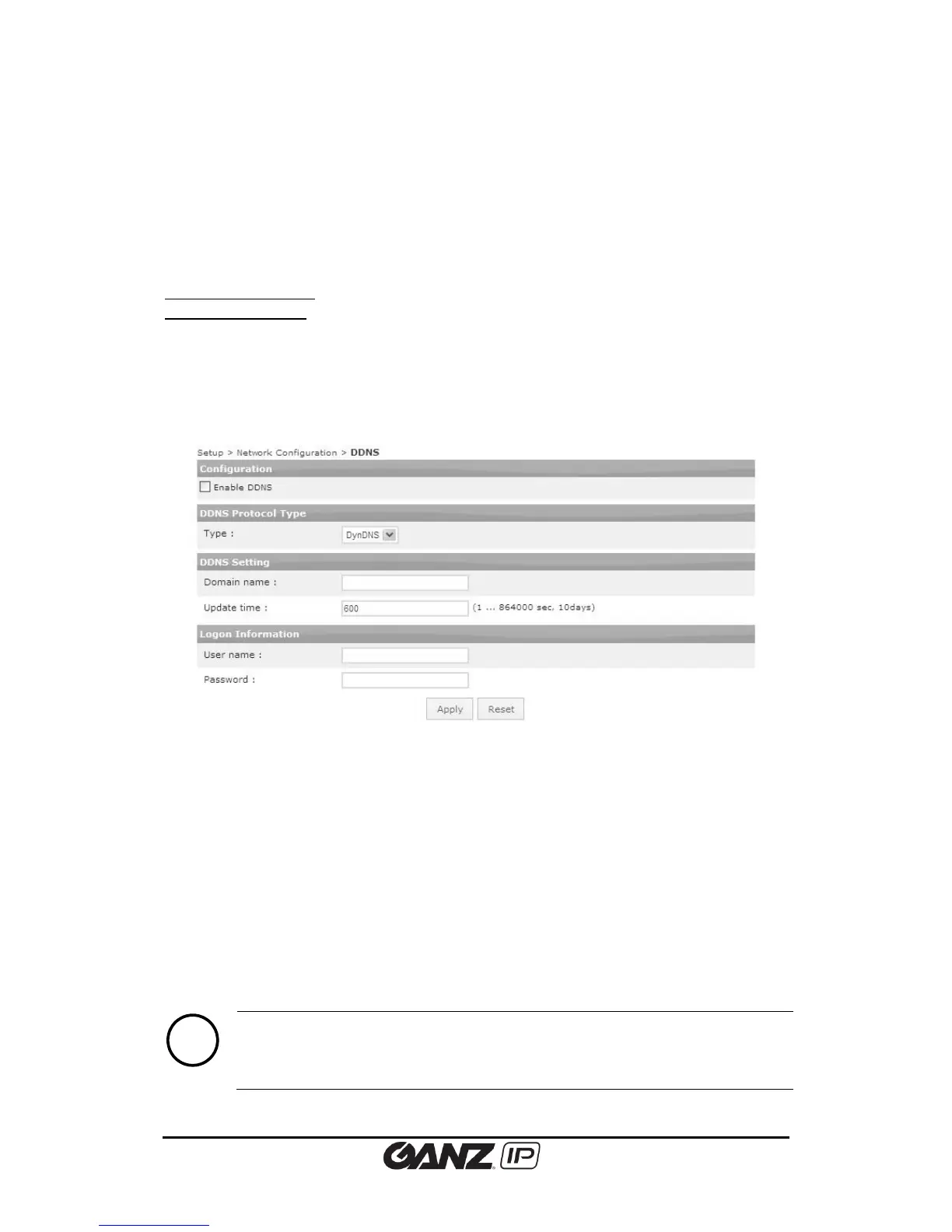
5.4.8. DDNS (Dynamic DNS)
To change the Dynamic DNS setting, go to Setup > Network Configuration > DDNS.
Configuration
Enable or disable DDNS by selecting the check box.
DDNS Protocol Type
Select the desired protocol type. DynDNS is only available option..
DDNS Setting
Type the domain name you want to use for the product and define the update time. The
factory default is 600 seconds, and it enables the product to notify the DDNS of the current
domain name in given length interval.
Logon Information
Type the user name and password of your DDNS account.



 To Next Page