17
5.1.2. TCP/IP
Refer to 5.4.1. Setting TCP/IP (DHCP, Static IP, DNS setting) for TCP/IP configuration.
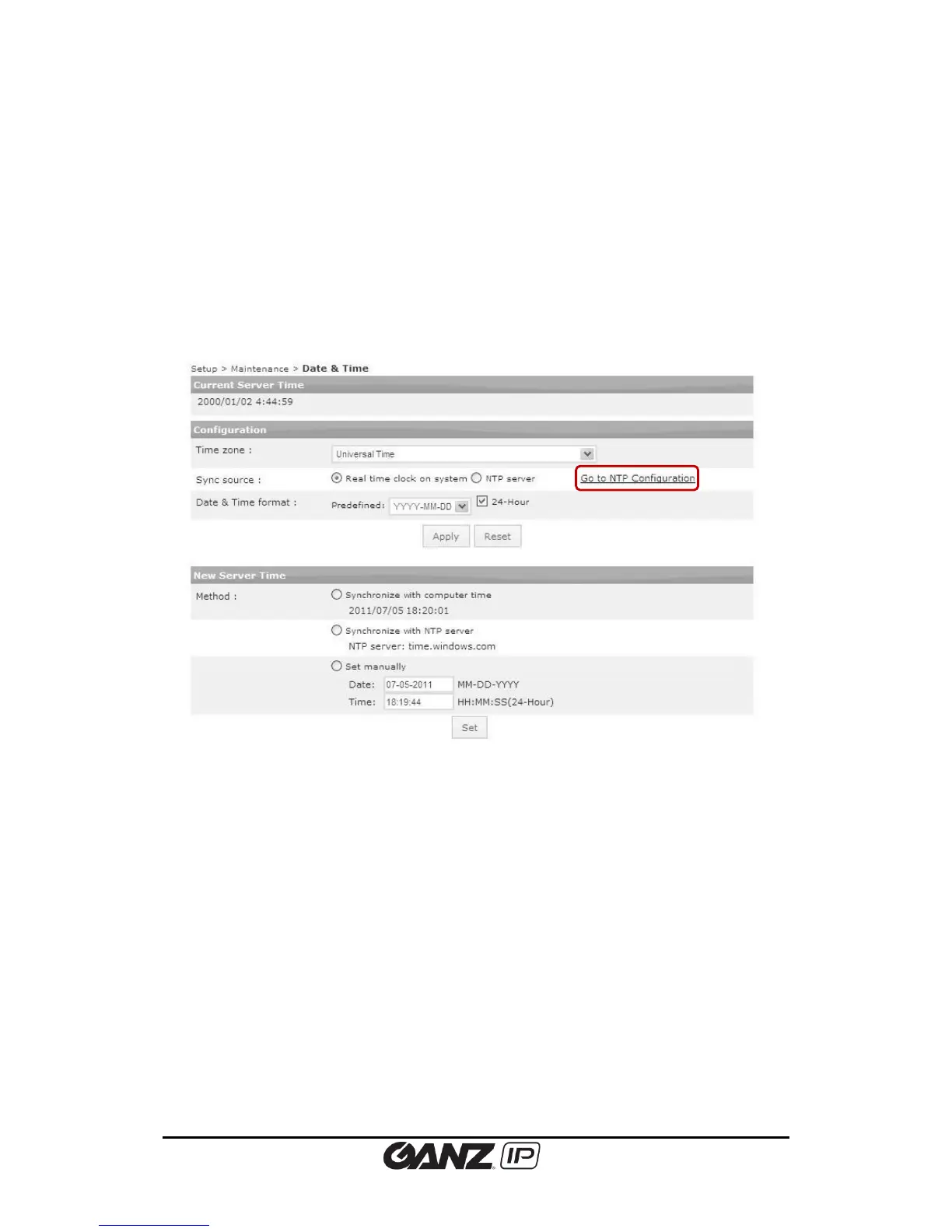
5.1.3. Date and Time
Time setting is very significant for all parts of the product server because it affects the log of
streaming and burnt-in text of video. To configure the date and time, go to Setup > Basic
Configuration > Date & Time.
Current server time
It shows the camera’s recognized time.
Configuration
Time zone
Select the proper time zone of where the camera is installed from the drop-down box. Daylight
saving time applies automatically.
Sync source
Real time clock on system – Time setting relies on the Real-time clock which is inside the
camera. The clock chip is attached as internal part of the product, and it is recharged
automatically when the device is powered.



 To Next Page