45
5.4. Network Configuration
5.4.1. TCP/IP(DHCP, Static IP, DNS setting)
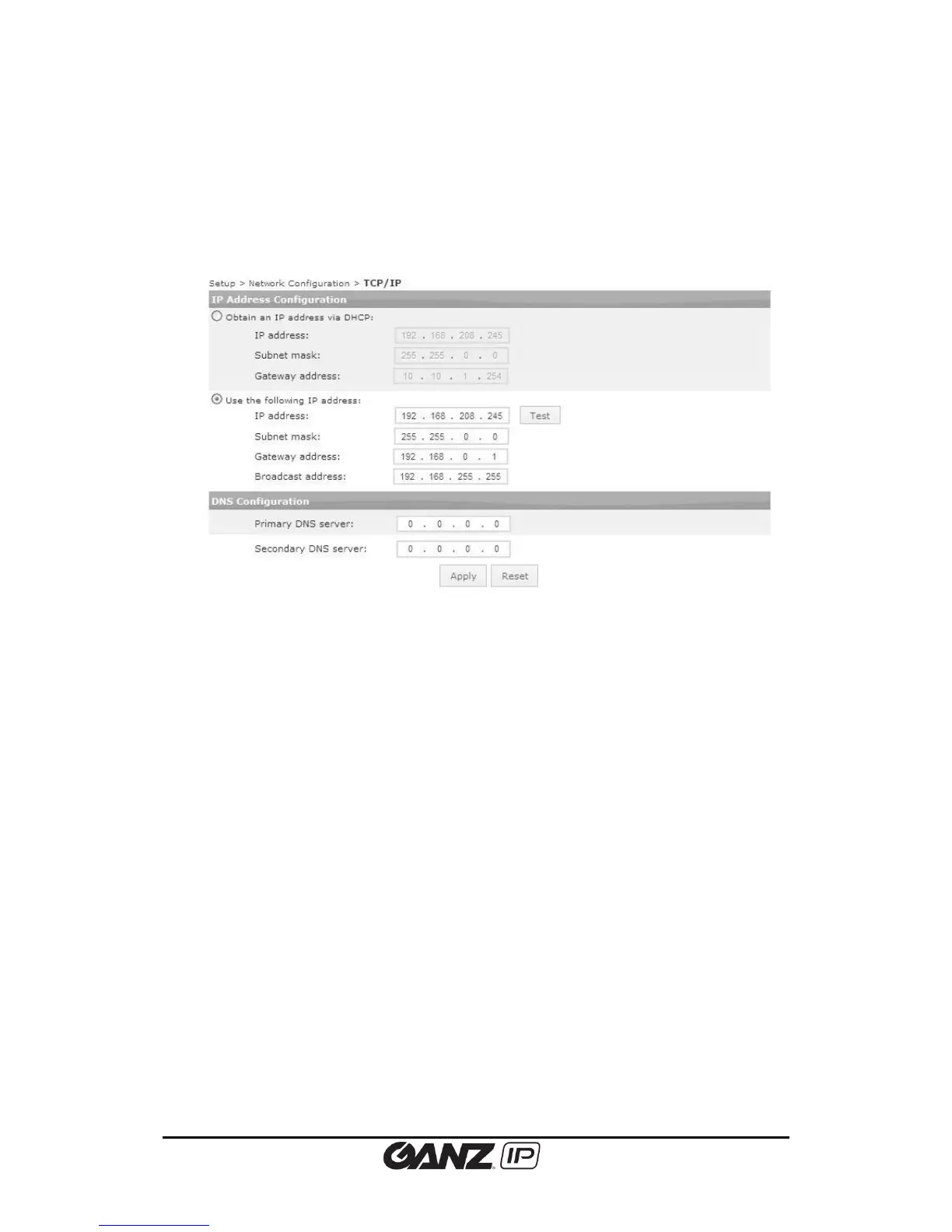
To change the TCP/IP setting, go to Setup > Basic Configuration > TCP/IP.
IP Address Configuration
IP Configuration by DHCP
If you want to get your IP from DHCP server automatically, check this option and click the
Apply button. When the dialog box appears on the screen, click the OK button.
Use the static IP address
If you want to use your device with a static IP, select ‘Use the following IP address’ and input
the following information:
- IP address: The IP address of your device. The test button shows if the typed IP
address is occupied or not. If the typed address is available, “Okay” appears next to
the Test button. If the typed address has been taken already, “Fail” appears next to
the button.
- Subnet mask: The address of subnet mask of your device.
- Gateway address: The gateway address of your device.
- Broadcast address: It is automatically fixed by the subnet mask and IP address of your
own. For example, if you use B class (255.255.0.0) of mask, the broadcast address will
be 192.168.255.255.
DNS Configuration
Type the IP address of DNS server you use.



 To Next Page