26
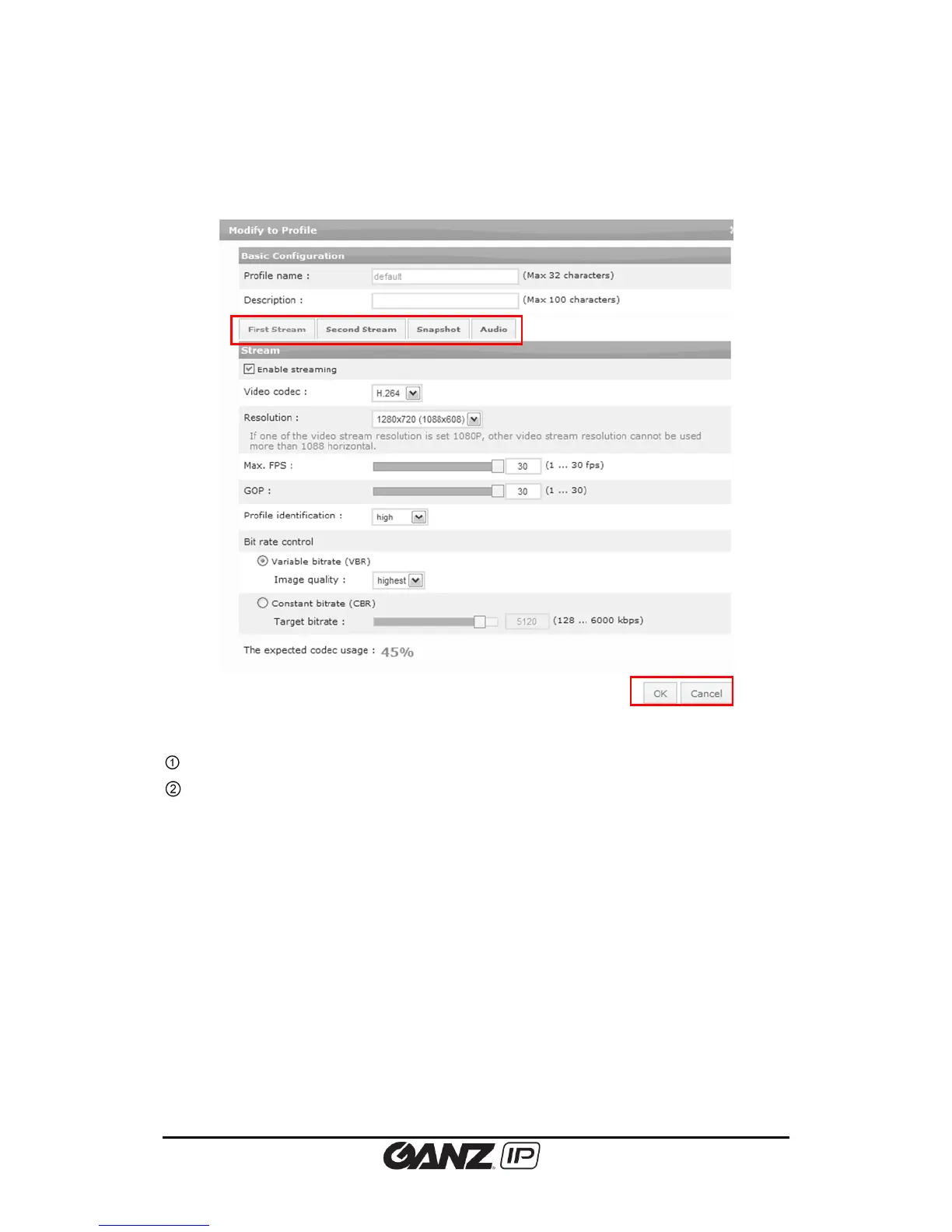
If you click either one of Add, Copy, or Modify button, the profile configuration page appears
as shown below. On this page, users can configure the settings for each stream, snapshot and
audio separately.
Users can configure streams, snapshot and audio settings.
Click”Ok” button to apply all changes to the current profile, or click “Cancel” button to go
back to the last saved profile.
Stream Configuration (First Stream and Second Stream)
The expected codec usage
The expected codec usage is calculated automatically according to your configuration
parameters. Do not exceed the usage over 100%.
Enable streaming
Check the ‘Enable streaming’ box to enable streaming on the selected stream. Always keep
unused streams disabled.
Video codec
Select the video codec from MJPEG and H.264.



 To Next Page