42
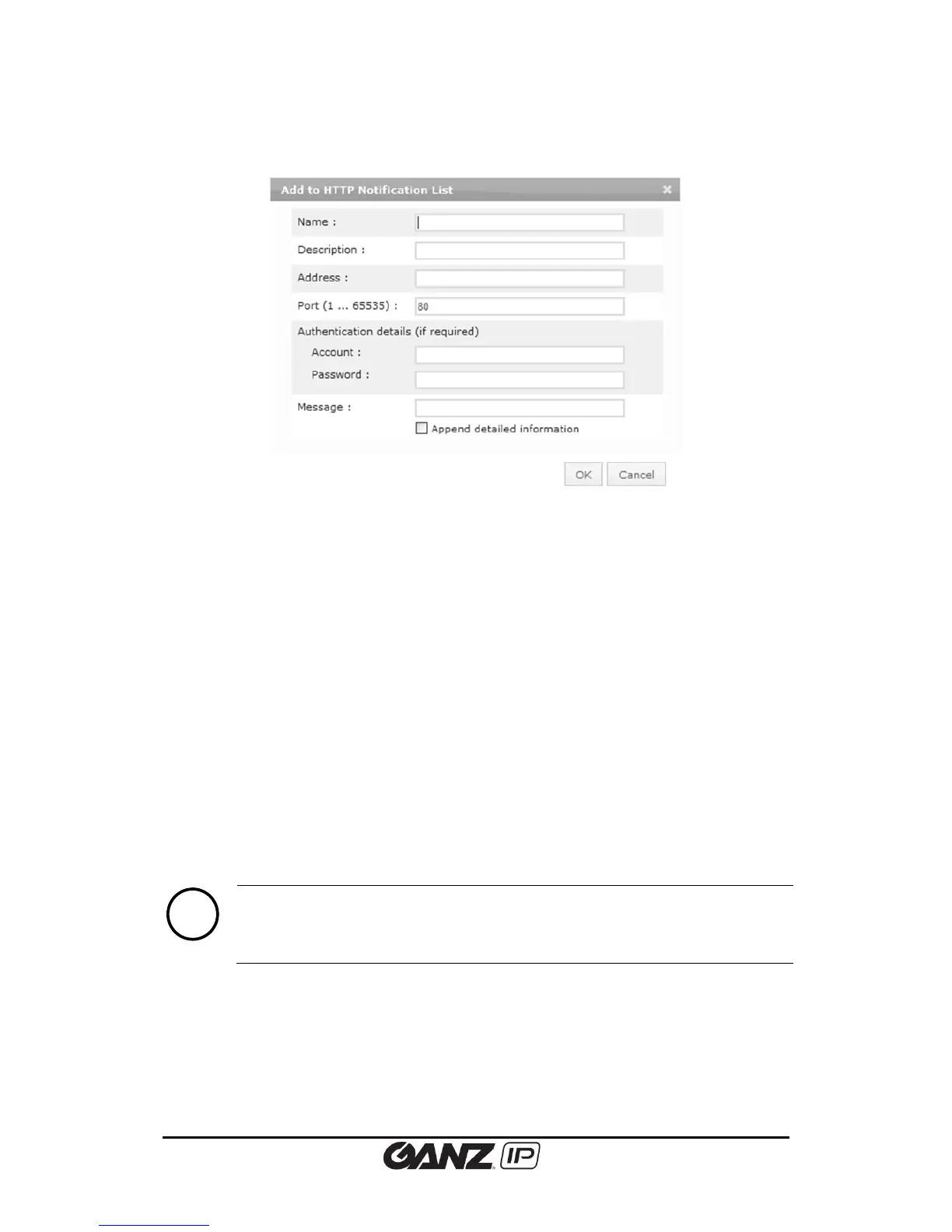
Clicking either Add or Modify button will display the configuration page shown below.
Name
Specify the HTTP server name.
Description
Input a brief description of the server to easily distinguish.
Address
Enter the IP address of the HTTP server.
Port
Enter the server port number. The default is 80.
Account and password
Enter the login user name and password of the HTTP server. If you want to skip the login
authentication process, leave the text boxes blank.
Message
Enter the message that you want to send with. Enabling the ‘Append detailed information’ will
add event details in message.



 To Next Page