6
How to change the default IP address:
IPAdminTool software allows users to search and change the IP address of connected devices.
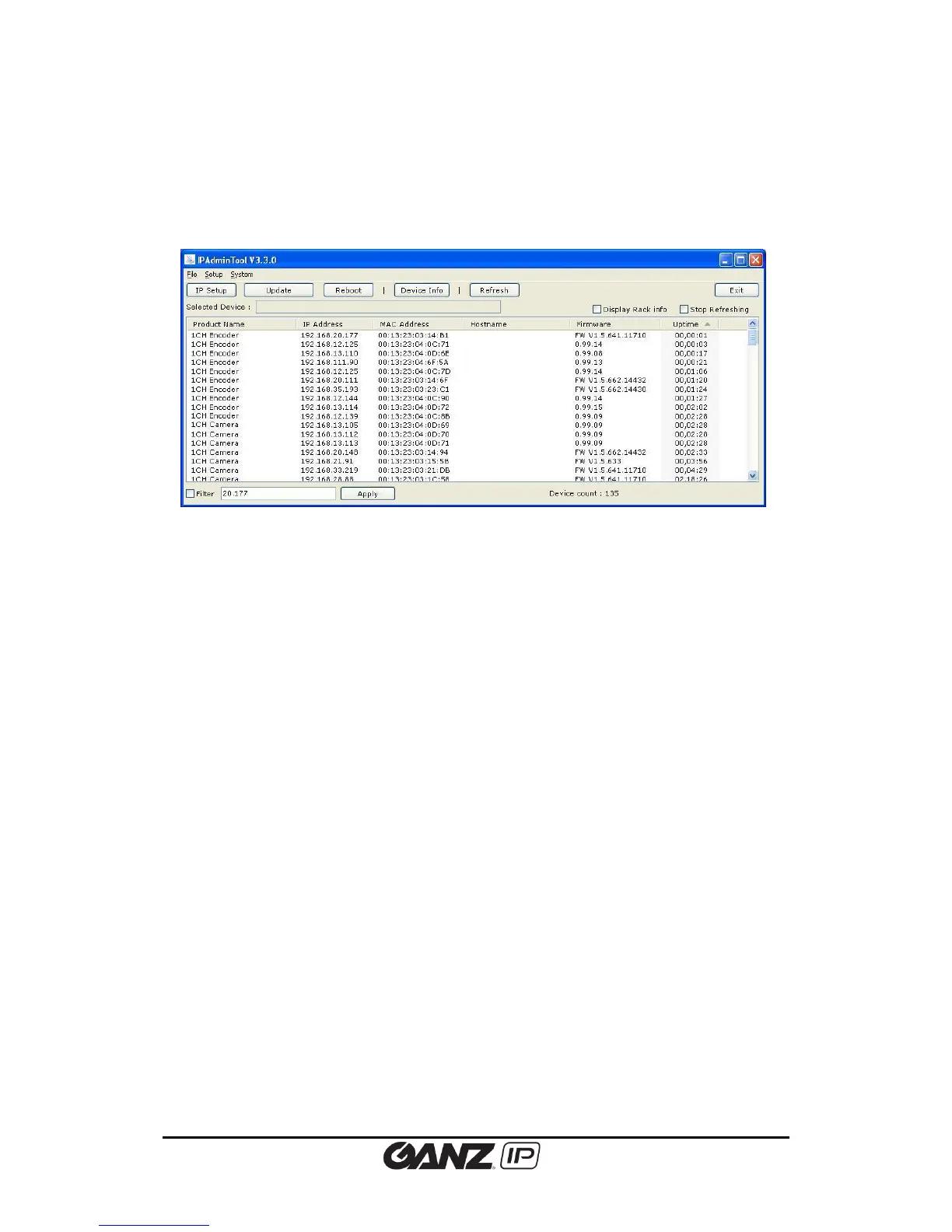
The figure below shows a main UI of the IPAdminTool. The IPAdminTool helps to search
multiple devices. Please refer to the ‘IPAdminTool User’s Mangual.pdf’ for the detailed
information and its usage.
What is IPAdminTool?
IPAdminTool automatically scans all of the products including encoders and cameras on the
network and displays product’s information, including product name, IP address, MAC address,
firmware information, and devices’ uptime. The tool also allows user to change the IP address
or update the firmware. ‘IPAdminTool User’s Manual.pdf ’is available in the SDK (\DOC) folder,
and it is highly recommended for user to review before using this tool for better understanding
of the software functions and administration controls.
Location of IPAdminToo.exe : \BIN\TOOLS\AdminTool
Location of the manual of IPAdminTool : \DOC\
Limitation of the concurrent clients
Depends on streaming configurations and settings, simultaneous connection might reach the
limitation due to system maxed-out capability.
RTSP Streaming, Unicast: Heavily depends on the maximum throughput in a given time.



 To Next Page