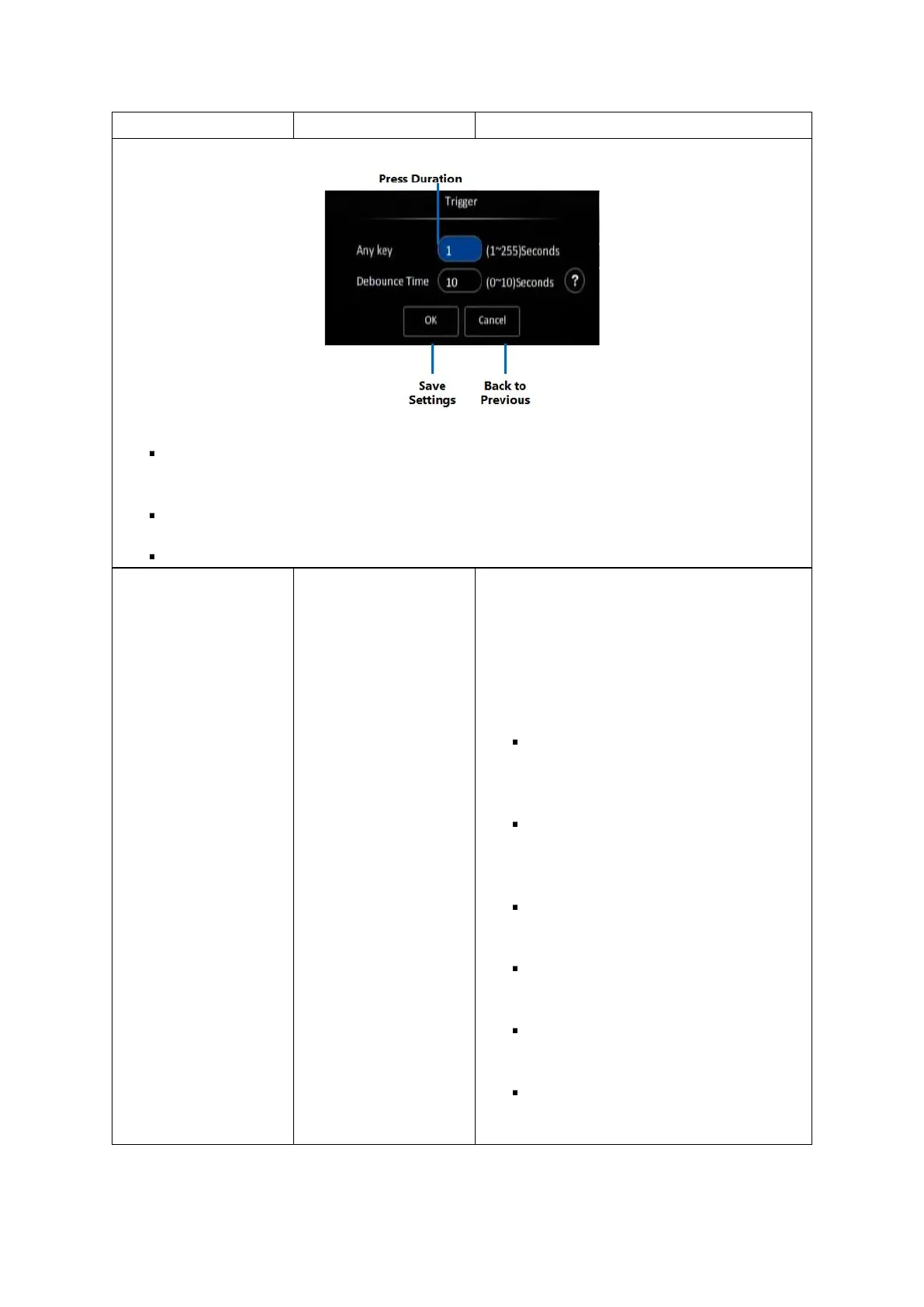
Press Duration: Numeric text field to key in the duration of the panic button press on the
panel for which the device will flag the panic alarm.
Save Settings: Click the (OK) button to save the alarm settings.
Back to Previous: Click the (Cancel) button to return to the previous screen without saving.
Click the (Setup) button under Linkage to go
to the Linkage setup screen. This sets up the
video display, recording and snapshot options
associated with this alarm.
The Linkage setup screen enables you to
configure the following options:
Channel – checkboxes that allow you
to select any combination of the
camera channels to be included in the
display and recording.
Post Recording – numeric value box
which allows you to enter the duration
for which video will continue to be
recorded when the alarm is triggered.
Lock – checkbox, if selected will mark
the recorded video associated with this
alarm as a locked video.
Linkage IO Output – checkboxes, if
enabled, the device will send a signal
to the selected IO output lines.
Output Delay Time – numeric text
field to set the delay time for the IO
output (in seconds).
Alarm Upload – checkbox, if selected
will enable the device to upload the
alarm to the centre server.



 To Next Page