2 System Features
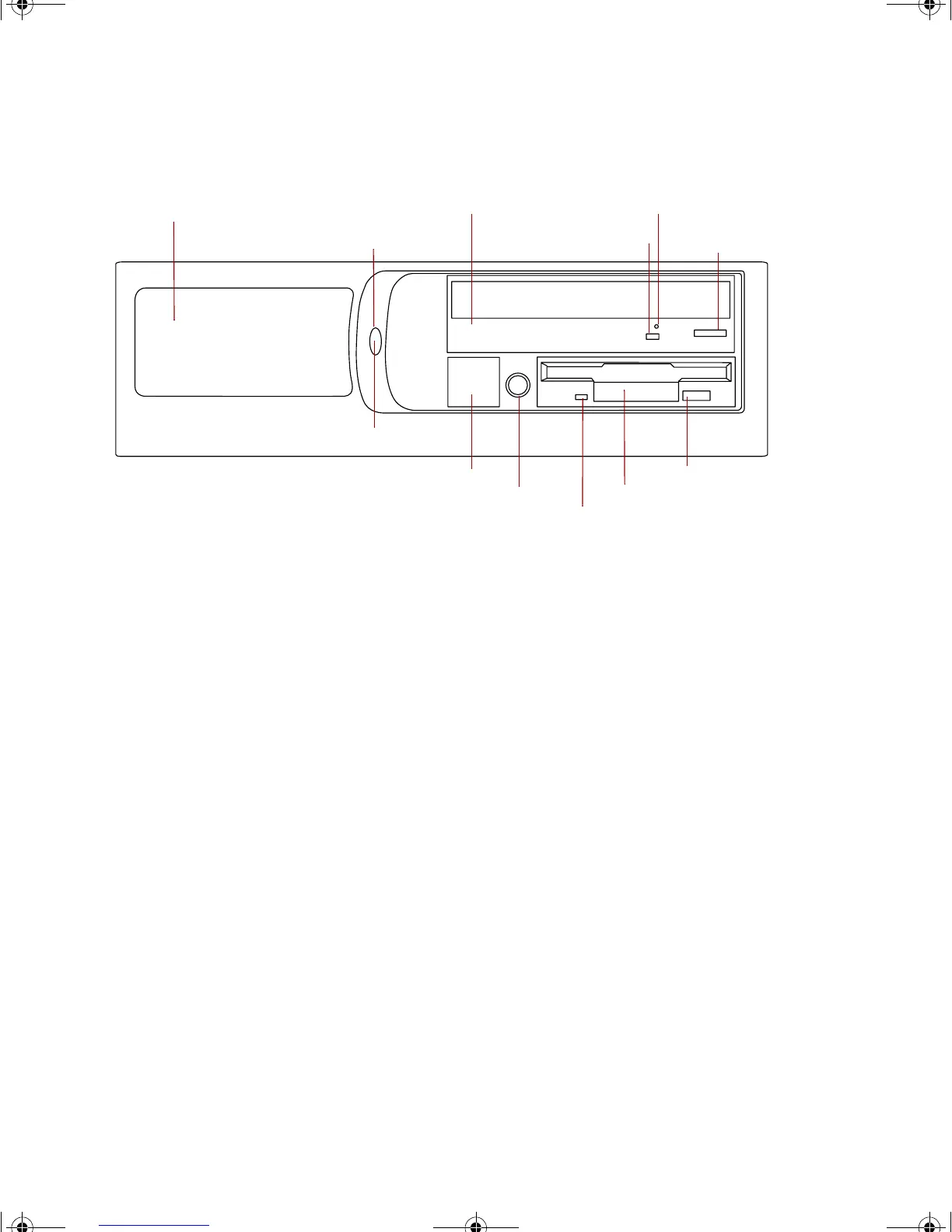
Front panel
Auxiliary drive bay provides space for a fourth drive that can be externally
accessible.
Power button turns the computer on and off.
CD drive plays data or audio CDs.
CD activity LED glows when the CD drive is reading a CD.
Emergency CD eject provides a way to eject a CD if the computer is off.
CD eject button ejects a CD from the CD drive.
Diskette eject button ejects a diskette from the diskette drive.
Diskette drive writes to and reads from 3.5-inch, 1.44 MB diskettes.
Diskette drive activity LED glows when the diskette drive reads from or
writes to a diskette.
Headphone jack lets you connect a set of headphones to the integrated audio
controller on the system board.
Optional USB port cover covers the optional front panel USB ports that let
you connect USB devices directly to the front panel.
Power LED glows green when the computer is on.
Emergency CD eject
Diskette drive
Diskette eject button
Power button
Diskette drive activity LED
D drive
Auxiliary drive bay cover
CD eject button
Optional USB port cover
CD activity LED
Headphone jack
Power LED
8506999.book Page 2 Friday, December 15, 2000 8:22 AM



 To Next Page