Puma III User Manual
GreatCut Plug-In A-5
Tips: Vector object to create round outline
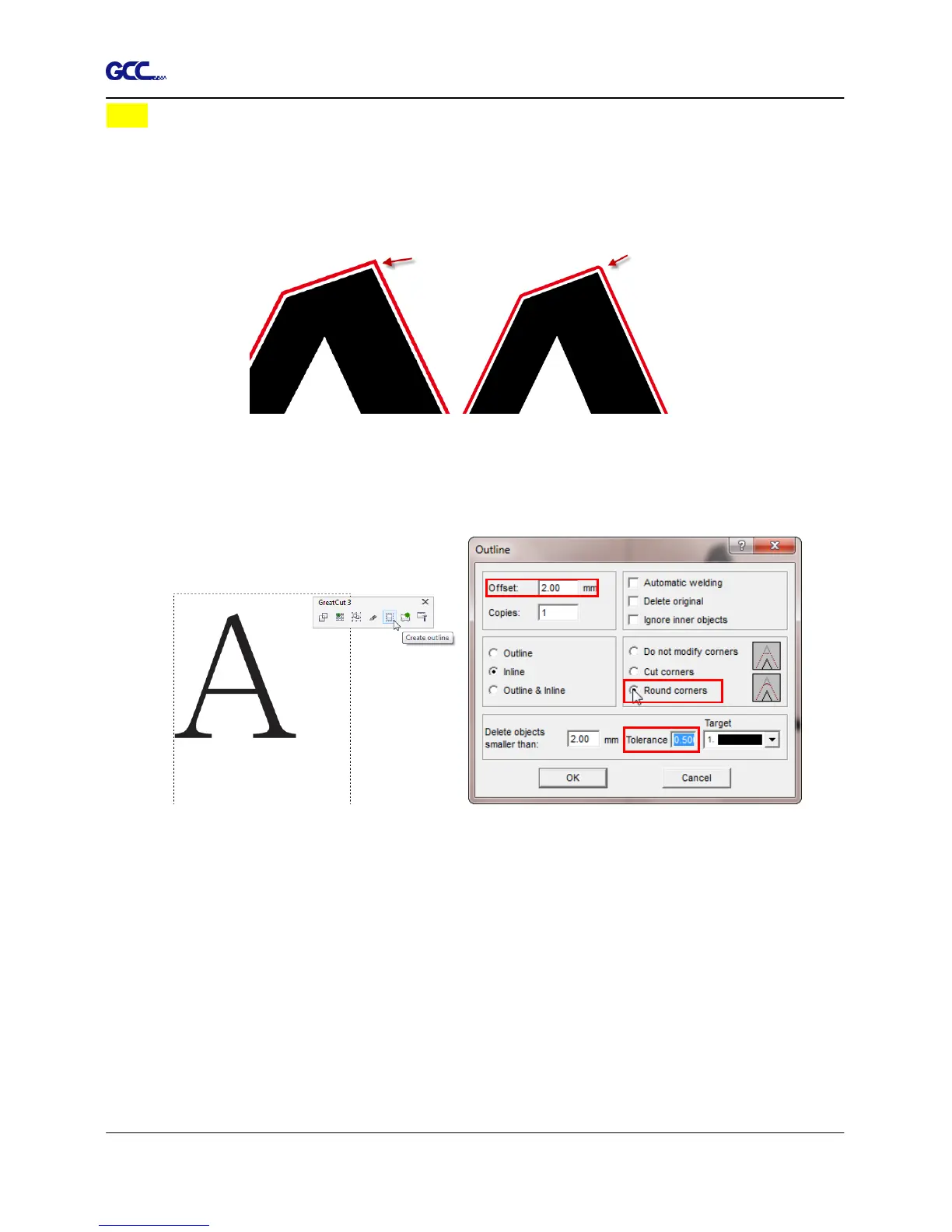
In general for vector objects you will get better results with the outline function. You will
see the difference between "Normal" and "Round" in sharp corners. The picture is shown
as below:
1. Click the “Create outline” to create contours in a freely definable distance around text
objects.
2. Select “Round corners” and set the value of “offset” and “tolerance.”
Offset is the value for the distance of the inline and outline from the original object.
The field tolerance indicates in which offset from the corner dot is cut respectively
rounded.
Normal Round














 To Next Page