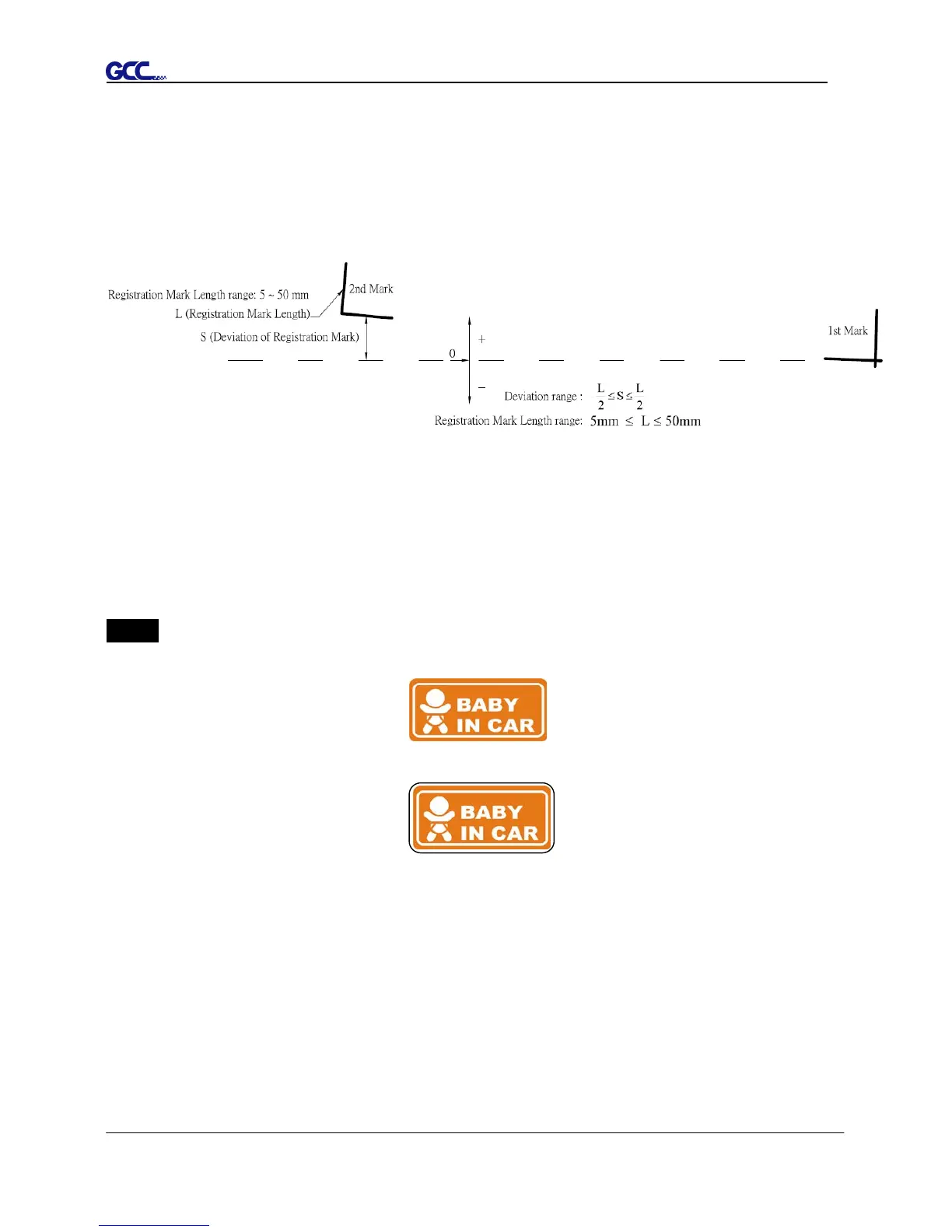
5.4 Registration Mark Offset Range
Please correctly load your media (refer to the alignment ruler on the platen) to make sure the
registration marks are successfully detected. Deviation exceeds the range below will lead to
detection failure.
5.5 Contour Cutting
For accurate contour cutting with AAS function, please proceed the following steps:
Step 1 Creating Graphics
■ Create the graphic that you want to print and cut in your software.
■ Create a contour for cutting around the graphic.
TIPS1: Leave some space between the graphic and contour line.
TIPS2: Create the contour in a separate layer and assign a different color for it.
■ Add registration marks around the graphic.
Note:
The Multiple Copies function is also available. It automatically copy the graphic and
registration marks.














 To Next Page