the cutting plotter)
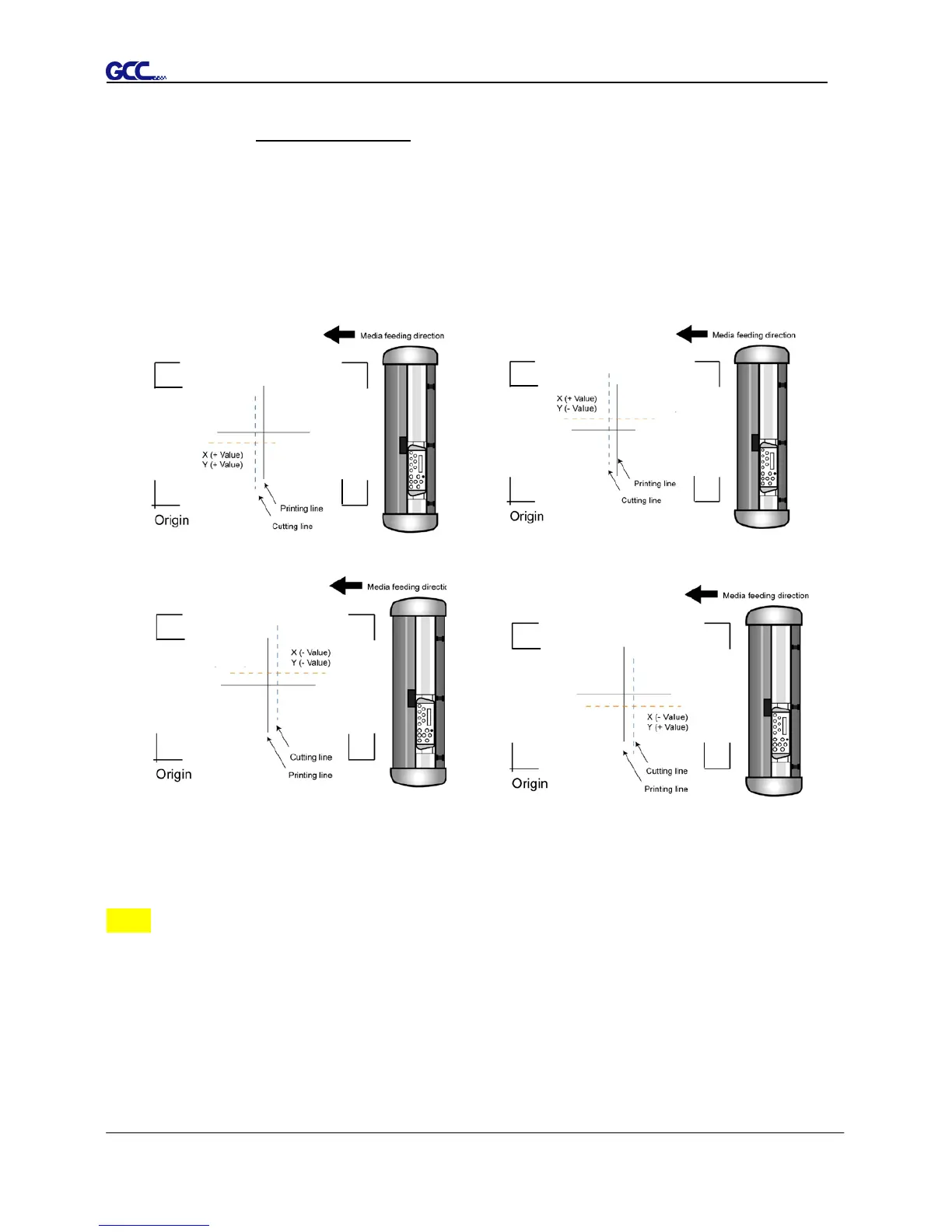
■ When the actual cutting line and the printed line need to be changed towards
the direction of origin mark, then simply add the negative value of the offset.
If the direction is from the opposite of the origin mark, then enter positive
values for the offset (see the following figures). This method applies to both
X and Y axes.
Note:
Before adjusting the AAS II settings, please proceed scaling for width and length.
The blade offset value isn’t set for this test graphic, please set it according to the
blade you use.
If you have any question, please contact us or your local distributor for assistance.














 To Next Page