Puma III User Manual
GreatCut Plug-In A-5
Advanced Settings
Segmental Positioning
For precise cutting quality, it is suggested to apply “Segmental Positioning” by adjusting the x
and y distance when you are working on an extra long or large-size image to increase cutting
quality.
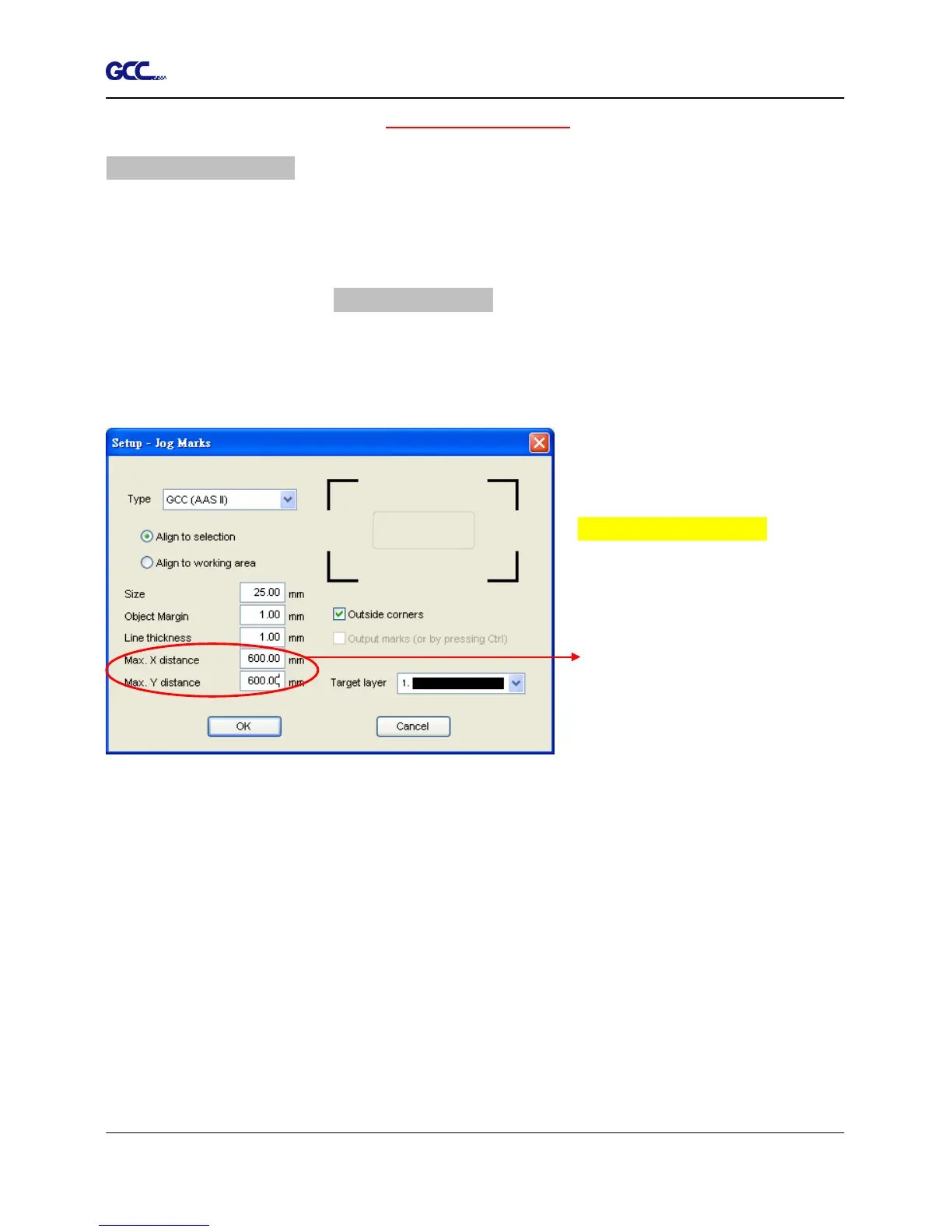
Follow the same steps in the 4-Point Positioning section to complete the contour line setting
and registration mark creation procedures. Adjust the size, object margin and line thickness of
your registration marks and the space between registration marks by changing X, Y distance in
the Setup-Jog Marks window and click OK.
Segmental Positioning
Max. x Distance: The distance of
intermediate position on the X axis
Range: 200-500 mm
Max. y Distance: The distance of
intermediate position on the Y axis
Range: 200-500 mm














 To Next Page