Puma III User Manual
GreatCut Plug-In A-5
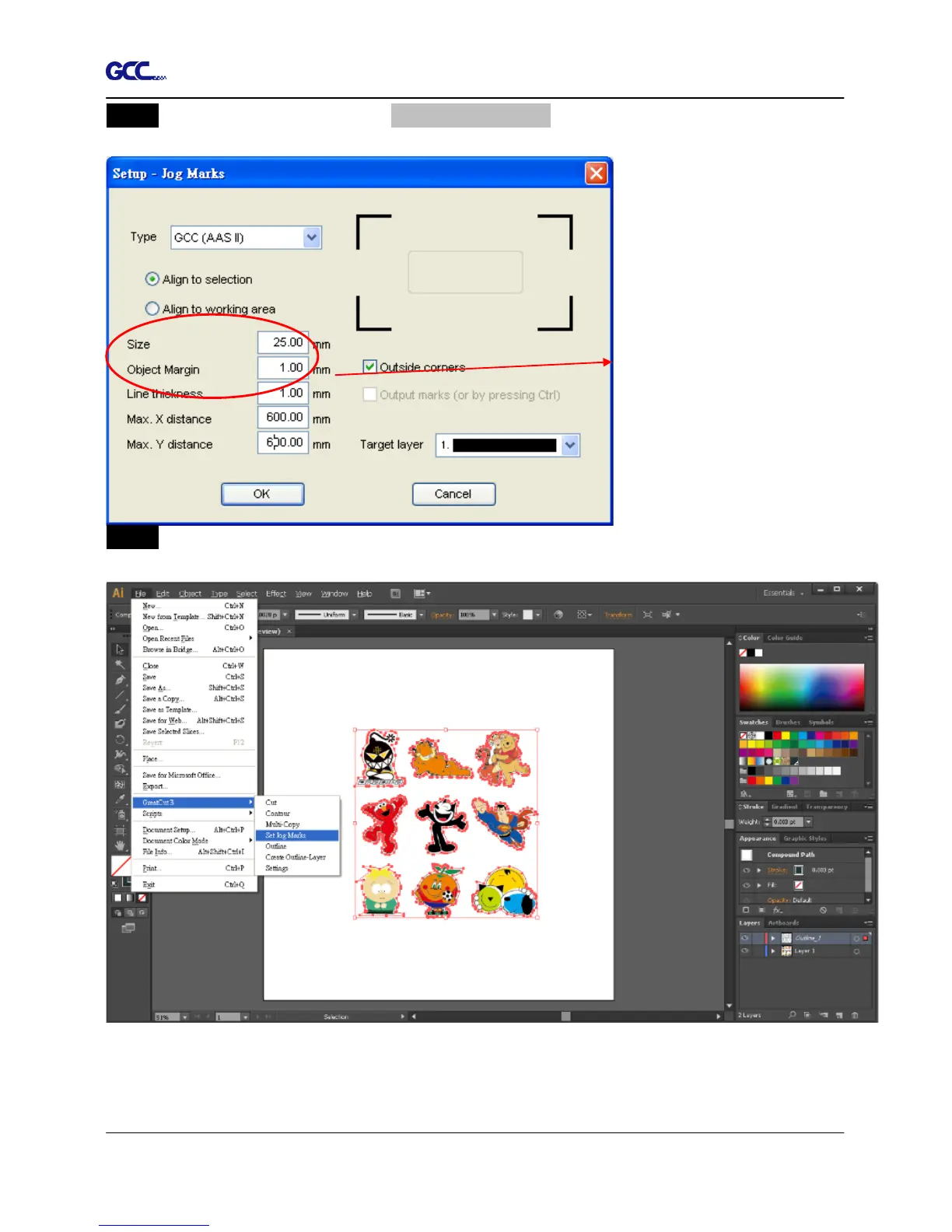
Step 2 Follow the same steps in the 4-Point Positioning section to complete the contour line
setting and registration mark creation procedures.
Step 3 Click on the Set Jog Marks Icon on the GreatCut toolbar and the system will create the 4
marks as shown in the picture below.
When you apply the “Multiple
Copies” function, the value that
has been set in this section will














 To Next Page