Puma III User Manual
SignPal 12 Instruction A-6
(1) Install and activate software on an online computer
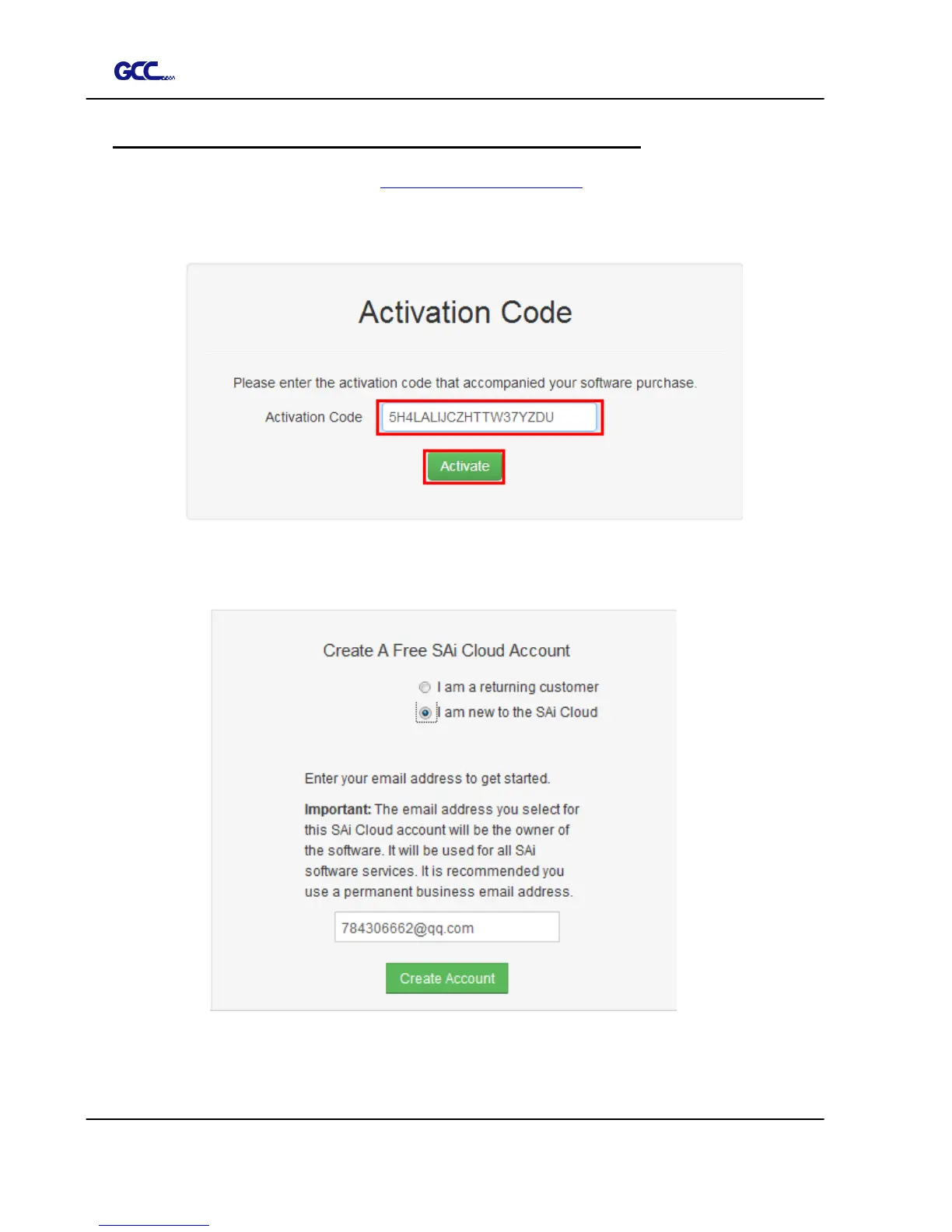
1. Launch your browser and type https://www.saicloud.com in address bar and press
enter, then input your activation code, then click Activate, activation code can be
found in the code label in software package.
2. In login section, click I am new to the SAi Cloud and input your email address,
then click Create Account, an email will be sent to your mailbox.














 To Next Page