Puma III User Manual
SignPal 12 Instruction A-6
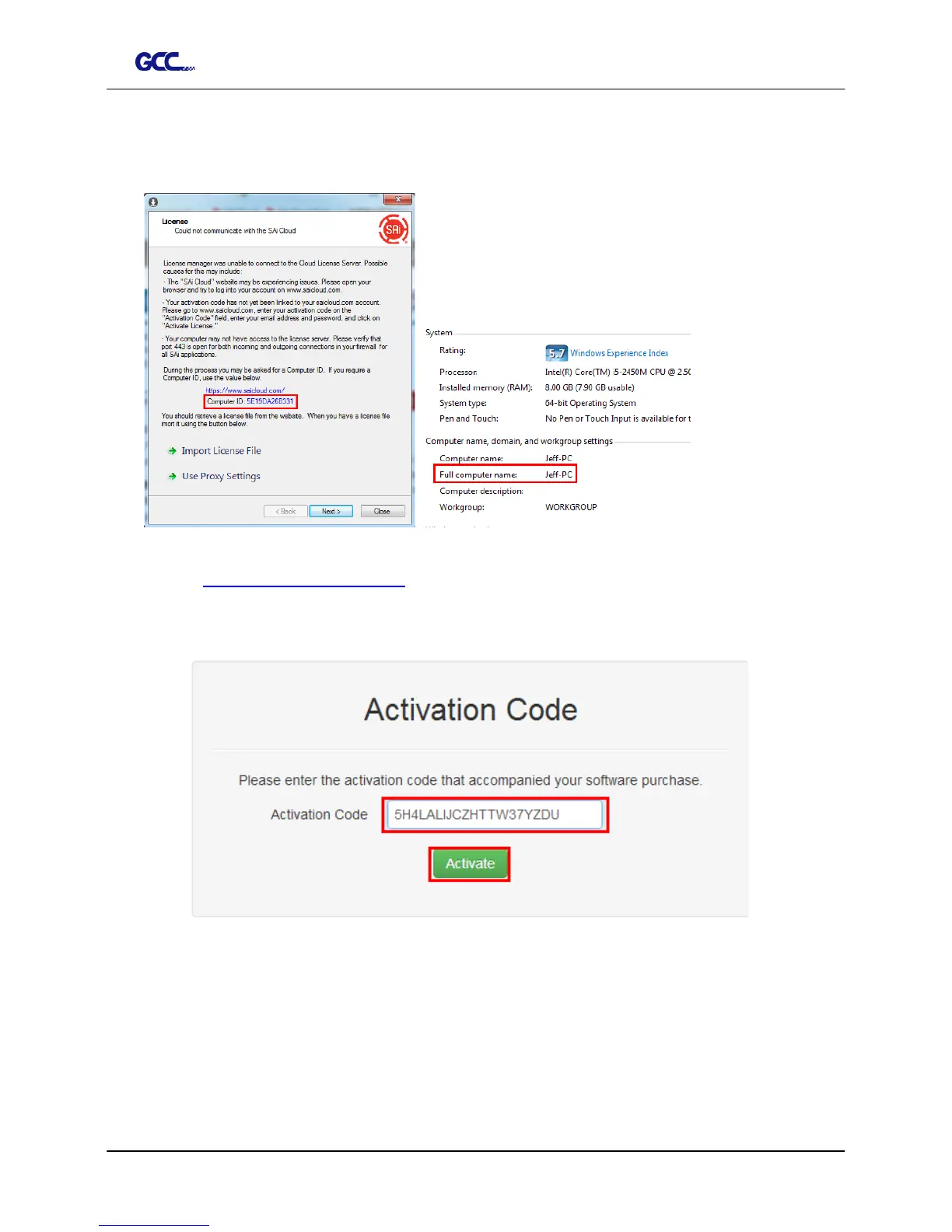
2. Record your computer ID in the dialog box below and look up your computer name,
You can find your computer name by right-click on My Computer and choose
Properties.
3. Launch your browser on another online computer and
type https://www.saicloud.com in the address bar and press enter, then input
your activation code and click Activate.
The Activation code can be found in the software package certificate.














 To Next Page