Puma III User Manual
SignPal 12 Instruction A-6
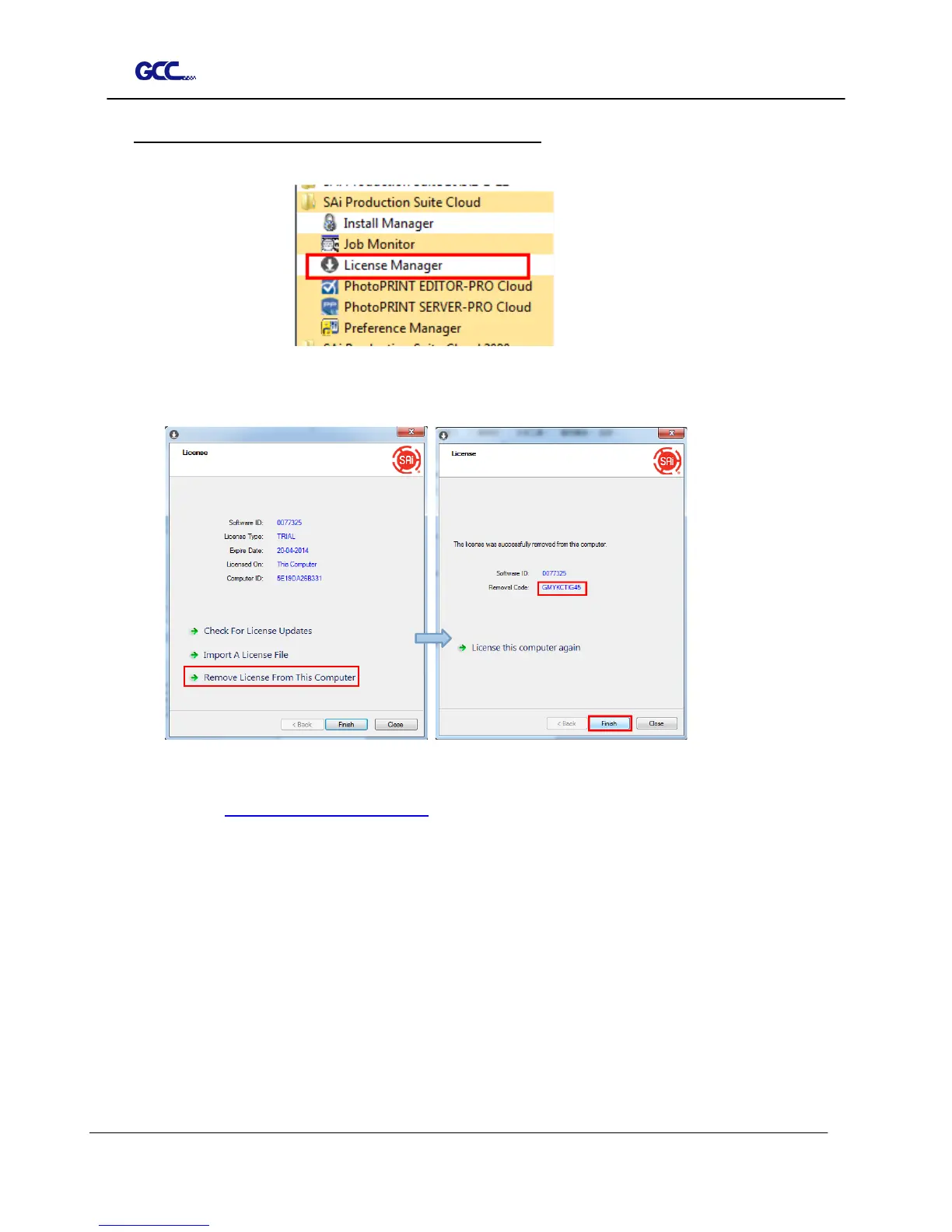
(4)Transfer license on an offline computer
1. Open License Manager from Start menu.
2. Click Remove License From This computer, then record removal code in license
dialog box.
3. Launch your browser on another online computer,
access https://www.saicloud.com and login with your account. Click License
Removed then input removal code and click Remove. After this you can install
software on another computer.














 To Next Page