Puma III User Manual
Sure Cuts A Lot A-7
6. Cut the Design
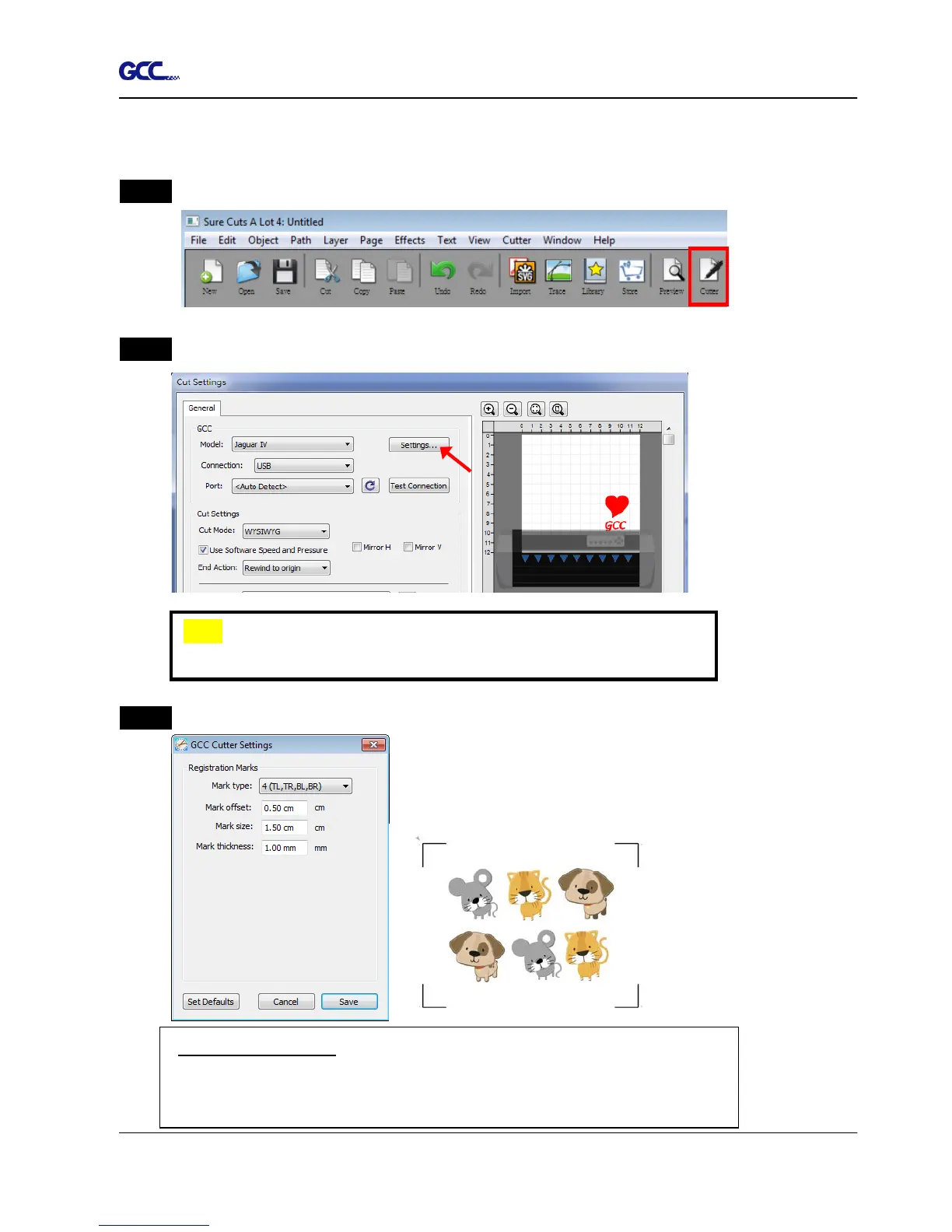
Step 1 Click on the “Cutter” button on the toolbar and Cut Settings window will appear.
Step 2 Click on “Settings…” to open GCC Cutter Settings window.
Step 3 Adjust Registration Marks setting under GCC Cutter Settings window if needed.
*Registration Marks: set the distance between the edge of the material
and the registration marks in Mark Offset; set the size of marks in Mark
Size; set the line thickness of marks in Mark Thickness.














 To Next Page