Puma III User Manual
Sure Cuts A Lot A-7
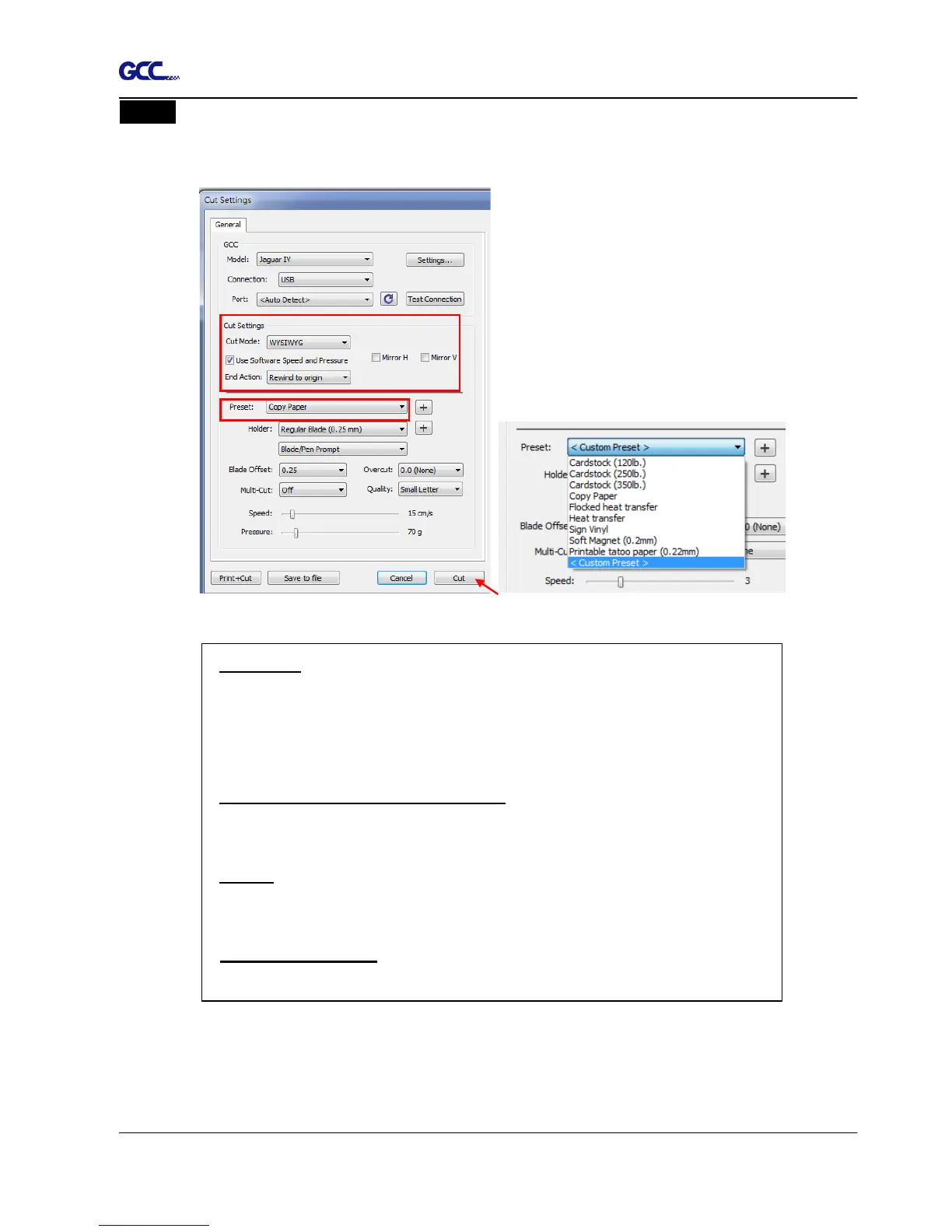
Step 5 Under “Cut Settings” section, there are some useful functions. After setting the
parameters, click on “Cut” to send the data to the GCC cutter and the GCC cutter will
start the cutting job.
*Cut Mode: there are “WSIWYG” and “Origin Point” options, WSIWYG
means what you see is what you get, the cutter will output the graphic
at same position in preview window. While with Origin Point mode, the
cutter will cut the graphic from bottom right origin point of the material.
*Use Software Speed and Pressure: tick this section, and you can set
the values of speed and pressure manually.
*Preset: select a proper material to apply the pre
pressure parameter automatically.
*Speed & Pressure: you may adjust values of speed and pressure
manually to get quality results.














 To Next Page