Puma III User Manual
Sure Cuts A Lot A-7
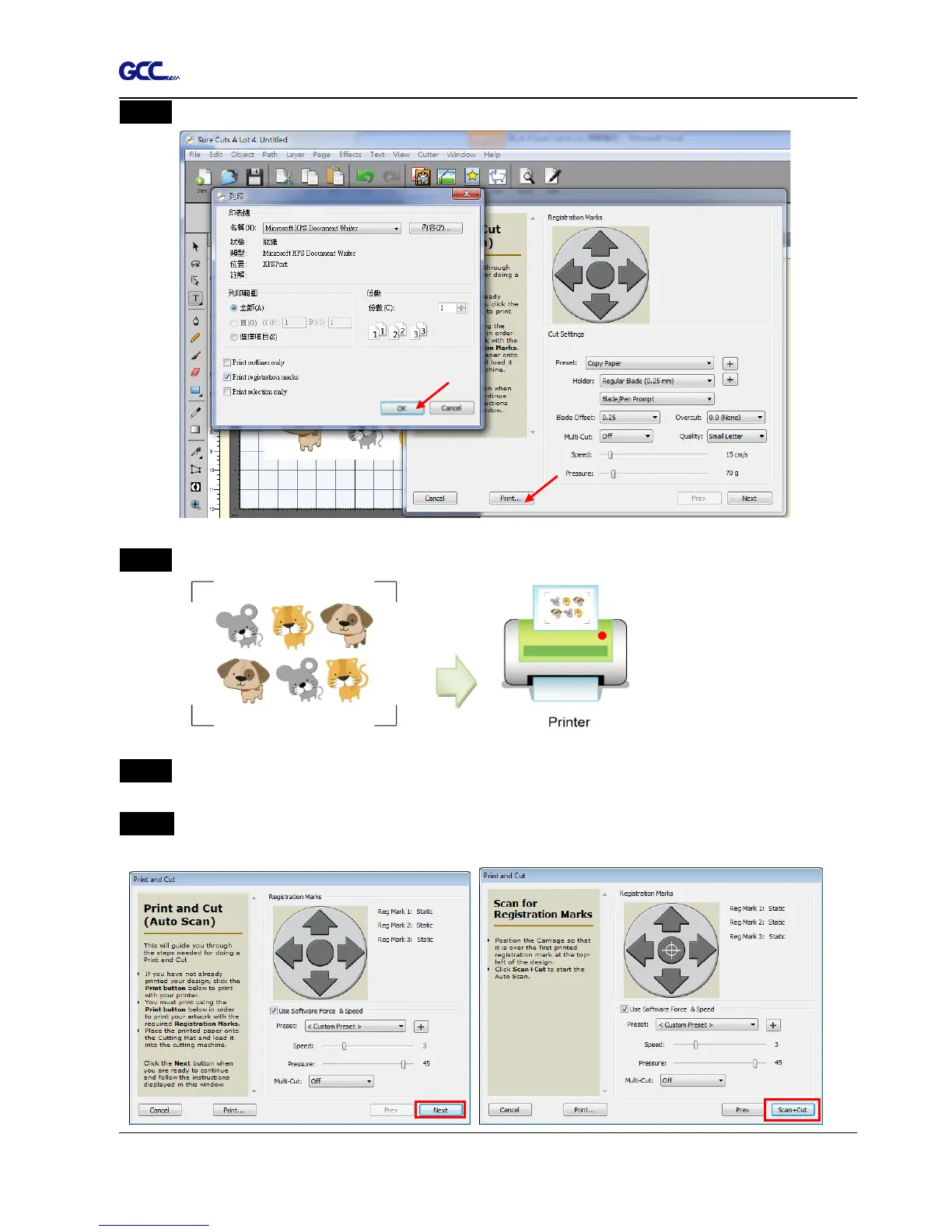
Step 3 Click on “Print…” to open printer setting window and click OK.
Step 4 Print your design with registration marks out.
Step 5 Load the printed media to the GCC cutter.
Step 6 Press “Next” and then press “Scan+Cut”, and then the GCC cutter will detect the
registration marks and cut the contour lines automatically.














 To Next Page