Puma III User Manual
CorelDRAW Plug-In A-3
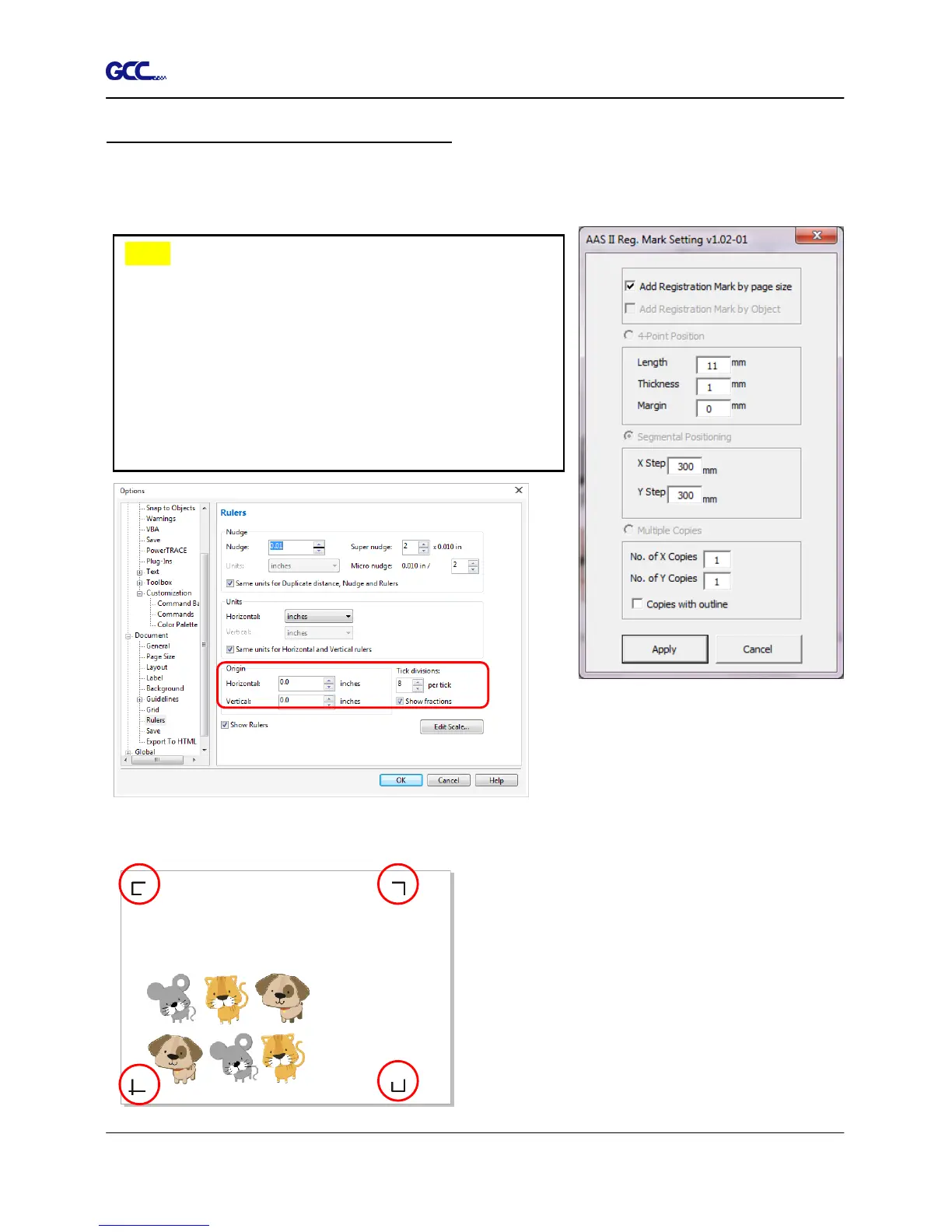
Add Registration Mark by page size
If you tick “Add Registration Mark by page size” as shown in the figure below and click “Apply”,
your registration marks will be created automatically (please see Figure A3-1).
The system will create the 4 marks on the 4 corners of the page as shown in the picture below
wherever you move your image.
Figure A3-1
Figure A3-2
Figure A3-3
Note:
1. The length setting will be in the range of 5-25mm
according to your page size.
2. Please DO NOT make any changes to the “Origin”
section when you choose to add registration marks by
page size as indicated below otherwise the position of
the marks will be changed (please see Figure A3-2).














 To Next Page