- 87 - 232001250G(06)
CAUTION
If the center of the mirror is scratched, contact your LaserPro X380 dealer for a
replacement.
8.2.3 Removing and Cleaning the Focal Lens
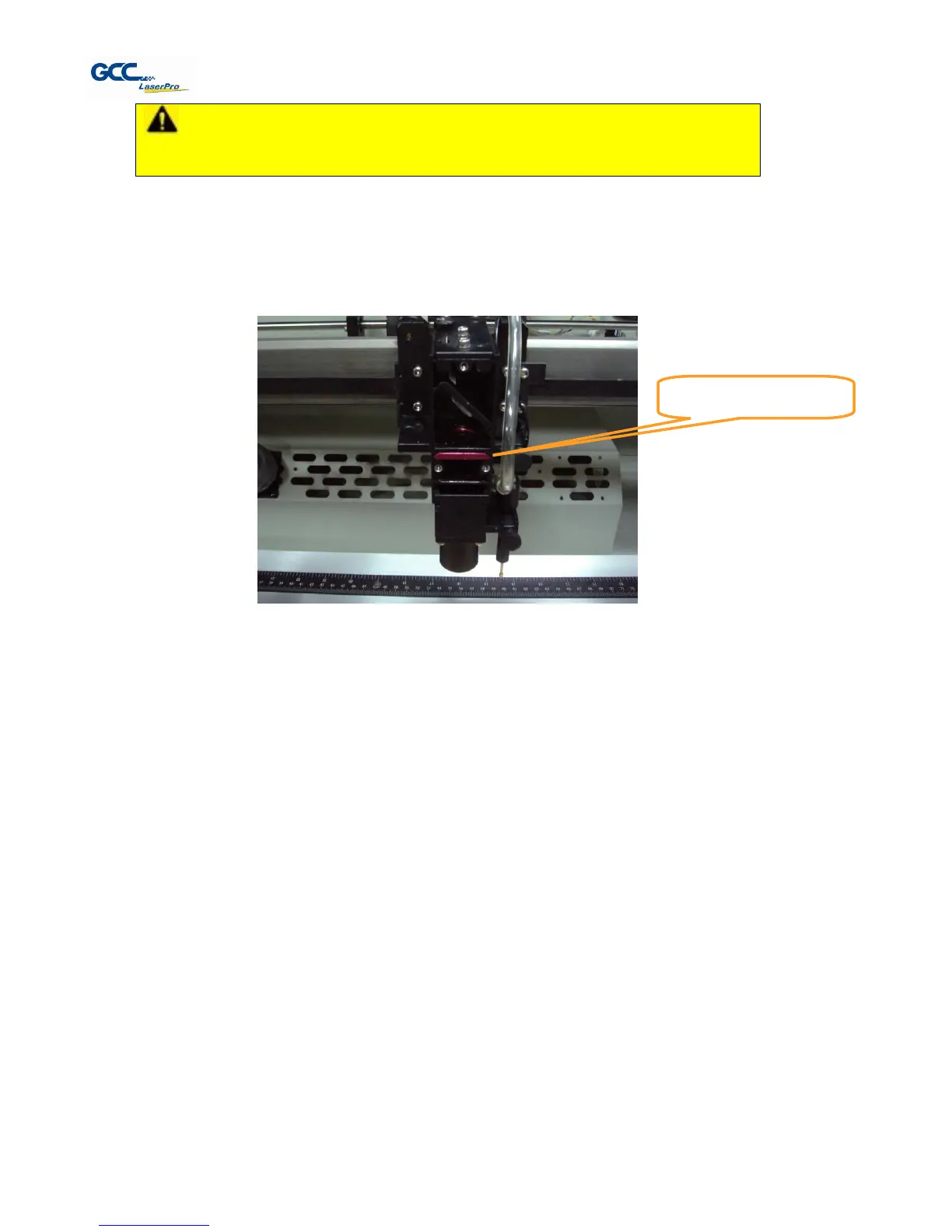
1) Unscrew the three thumbscrews (front face of the laser head) securing the laser carriage panel
and remove the laser carriage panel to reveal the focal lens.
2) Carefully pull out the focal lens (as indicated in the picture below).
3) Clean the focal lens with a cotton swab and lens cleaner solution. Be sure to clean both sides of
the focal lens (DO NOT apply any finger pressure or other cleaning solutions to the lens surface).
4) After cleaning, use a cotton swab to gently dry the focal lens and lens cover.
Chapter IX - Basic Troubleshooting
Quality Problems
Check focal length setting under F4 function key-> Machine Setting-> Set Focus Lens to see if it
matches the type of the lens installed.
Check if the focal Lens is installed correctly or if focal Lens is not fixed properly.
Check if it is caused by the debris or dust builds up in the bearing tracks or x rail.
Check if it is caused from the damaged or dirty focal lens and mirror 4 in the laser carriage which can
not deliver the laser beam effectively.
Non-operational Problems
Laser beam does not generate
1. If the red alignment beam is not revealed, the laser beam is misalignment.
Adjust reflection mirrors for exact focus.
2. If the red alignment beam is revealed, please check the driver power. The laser power may be
too low to be detected. Please increase the percentage setting of the Laser Power from the



 To Next Page