80 232001250G(06)
7.4 Rotary Attachment Option
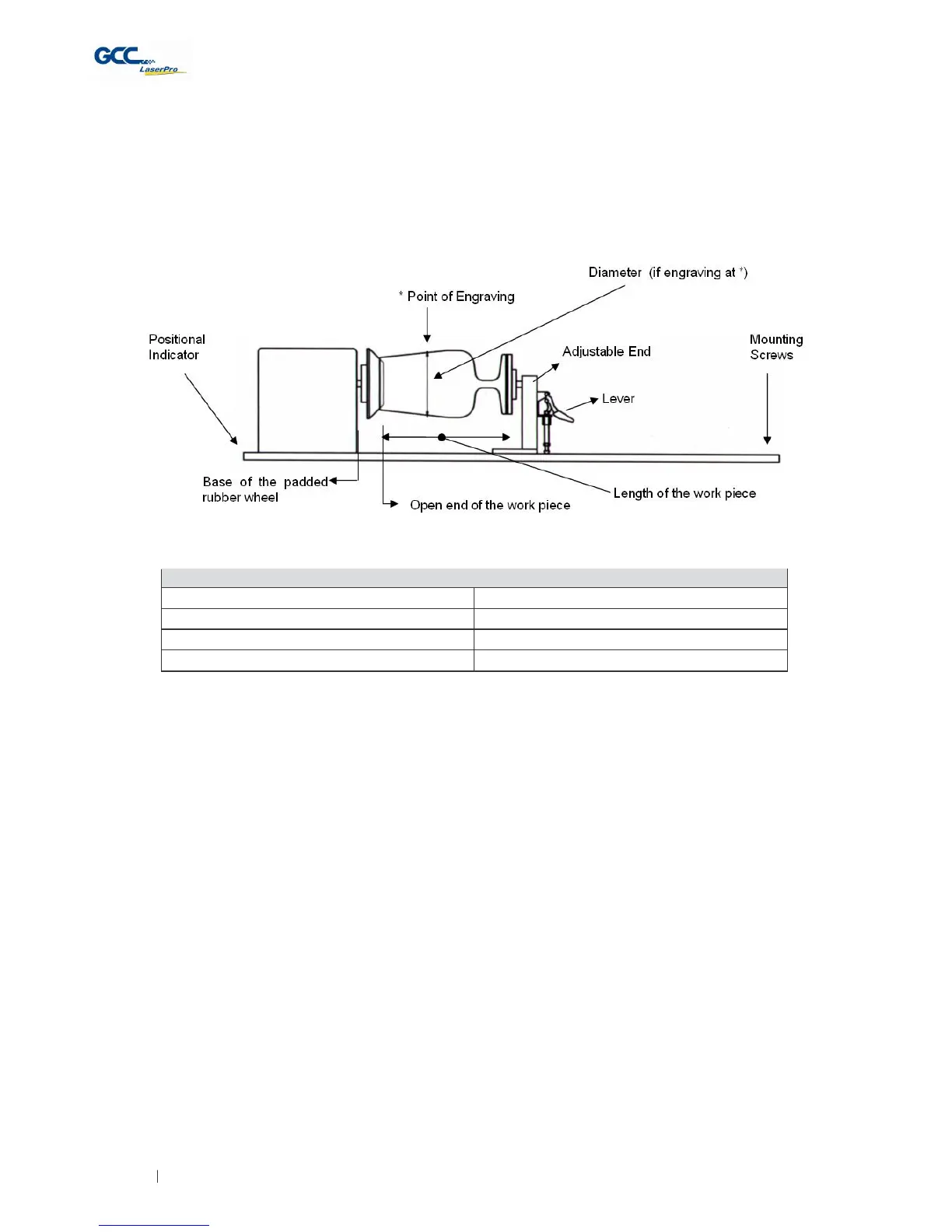
The rotary attachment option provides the Spirit with the ability to engrave on cylindrical or spherical
objects. In addition to the standard X, Y, Z axis, the rotary attachment allows for a fourth axis which
rotates your object 360° to allow for engraving on cups, wine glasses, and even balls.
INST
ALLA
TION:
1) Turn off the power of the engraver before installing the Rotary attachment.
2) Set the rotary attachment onto the engraving table so that the bottom mounting screws
correspond to the positional holes on the engraving table. In addition, the top end of the rotary
attachment must be leveled against the engraving table with the rotary’s positional indicator
(center point of the top of the rotary attachment) aligned to the center position on the
engraver’s vertical axis.
3) With the rotary attachment properly positioned, tighten the mounting screws to secure
the rotary attachment.
4) Open the front panel of the Spirit and connect the rotary attachment cable to the rotary
attachment port located inside the Spirit's front panel (shown in the picture below).



 To Next Page