GE
D
IRECTION 5535208-100, REV. 2 LOGIQ E9 SERVICE MANUAL
8 - 138 Section 8-6 - Replacing Top Console Parts
Be careful not to pinch any of the cables when installing the Upper OP Panel/Touch Panel Assembly.
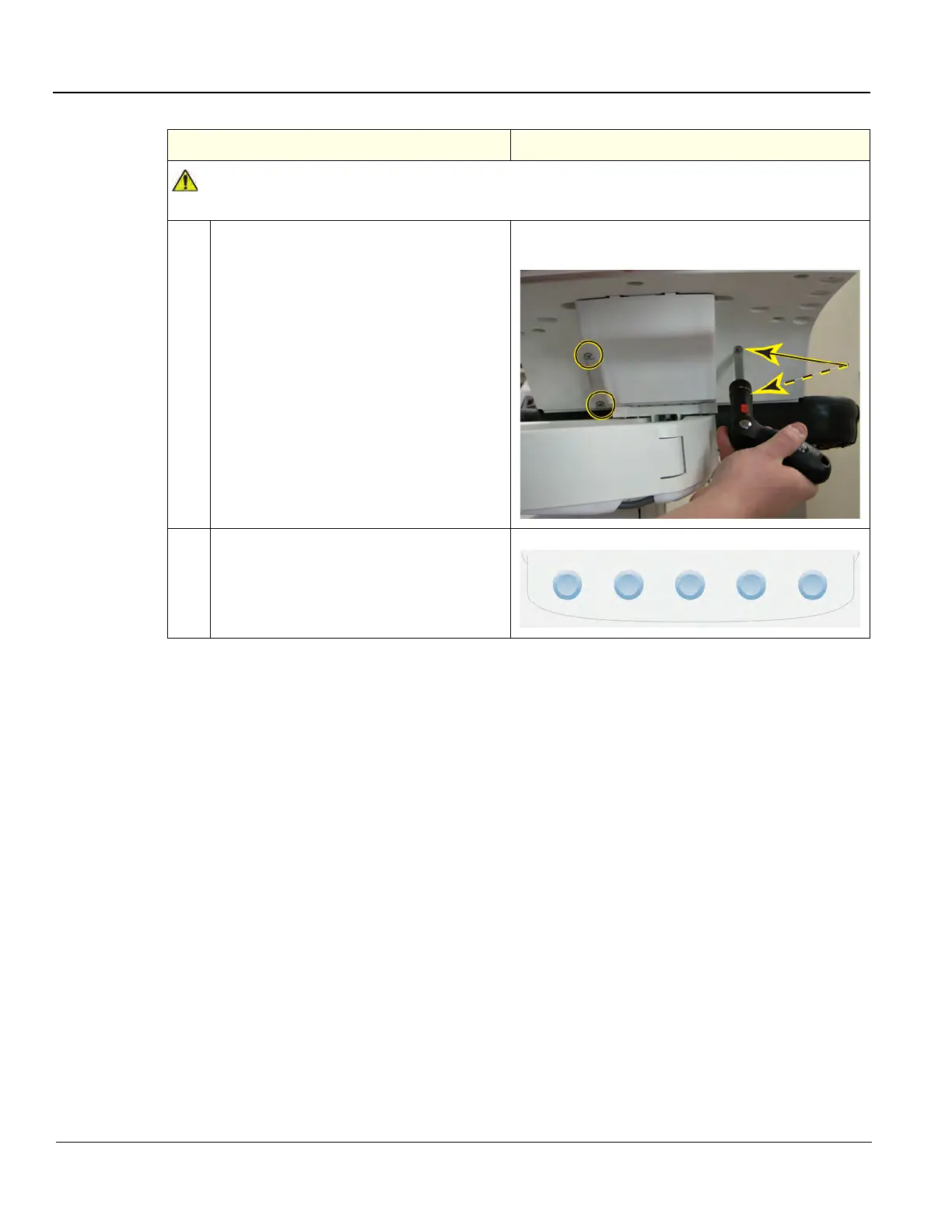
5. Install the four screws to the Back Cover
from behind.
Back Cover of the Upper OP Panel/Touch
Panel Assembly, Screws and Washers
6. Install the five OP Panel Knobs.
Table 8-88 Upper OP Panel/Touch Panel Assembly installation (cont’d)
Steps Corresponding Graphic



 To Next Page