WP21 Series Operation Manual Chapter 6 Software Operation
36
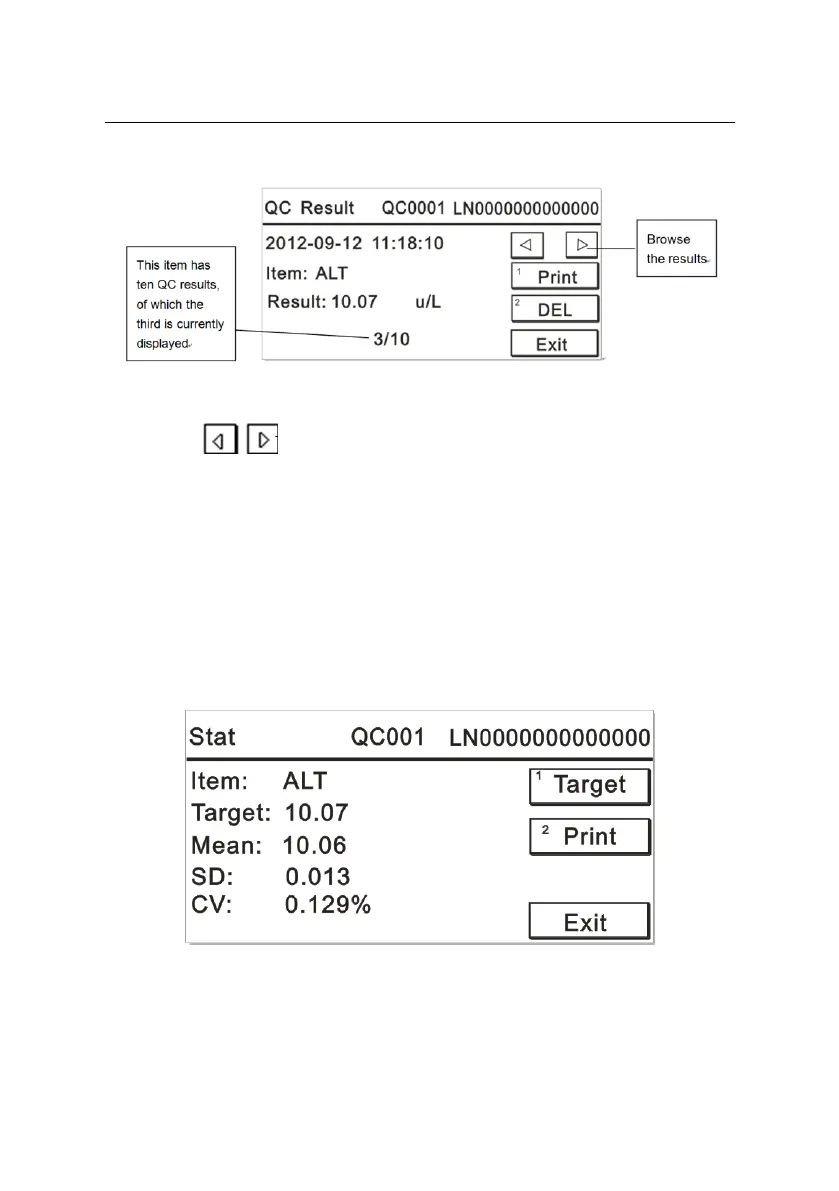
displayed as Figure 6-2:
Figure 6-2
Press to browse the results.
Press the number key “1” to print the results.
Press the number key “2” to delete currently displayed results.
Press “Exit” to return to the previous interface.
c) Statistics
Press the number key “3” on the “QC Review” interface to display a
screen like Figure 6-3:
Figure 6-3


 To Next Page