WP21 Series Operation Manual Appendix
70
Appendix
Appendix 1 Replace printing paper
1. Open the printer cover and remove the roller (first take out the
terminal without gears and then the other terminal with gears;
please handle them gently), and take out the residual printing
paper.
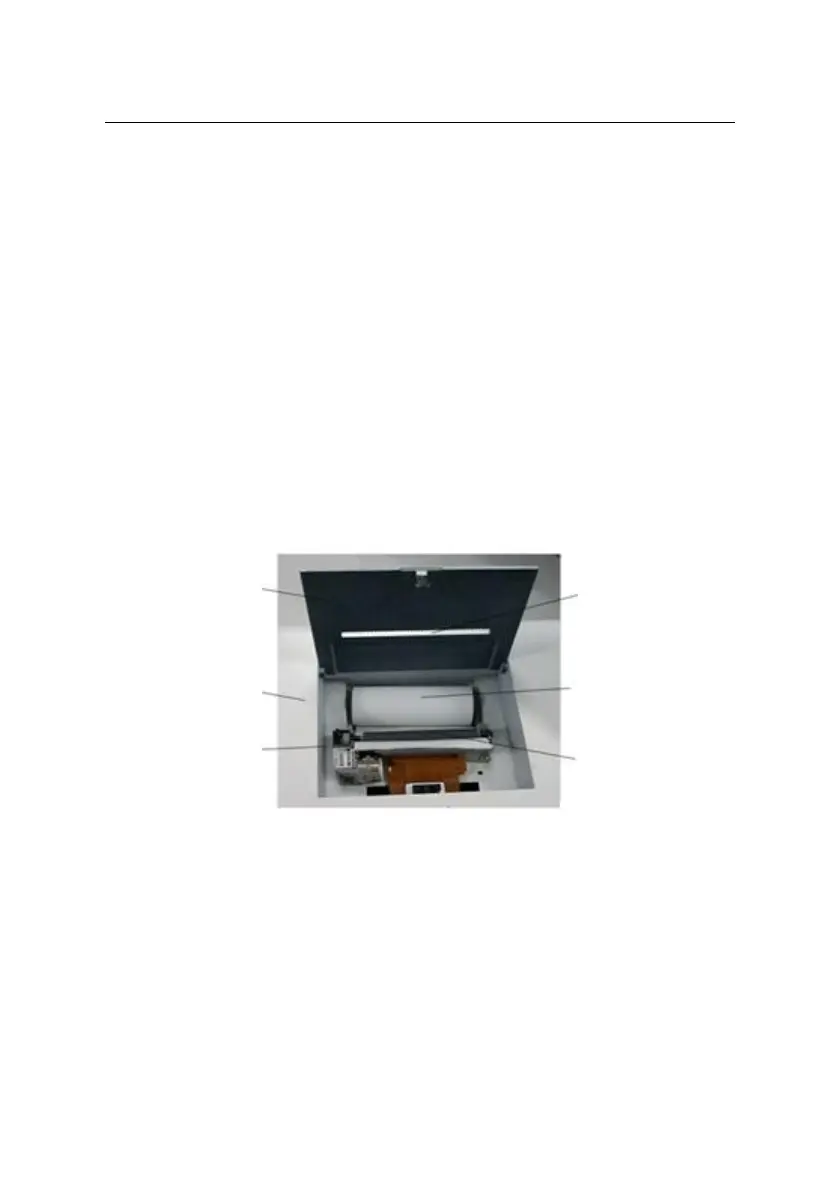
2. Put the paper roll into the paper trough. Please note that there are
differences between the sides of thermal printing paper. Please
make sure the thermal side faces downward. Place the printing
paper below the roller, as illustrated in the figure below. Please
ensure that the movement direction of the printing paper should be
vertical with the roller orientation, thereby avoiding inability of
normal printing due to paper jam.
Figure 12-1 Diagram for installation of printing paper
3. Install the roller: First make the terminal with gears aligned and
then gently press down the other terminal.
4. Press the “Feed” key, observe whether the paper moves smoothly
and the printer roller is vertical. Adjust it as needed. When a
segment of the printing paper moves out of the printer (passing the
printer cover), press the “Feed” key again to stop it.



 To Next Page