WP21 Series Operation Manual Chapter 6 Software Operation
52
6.4.3 COM setup
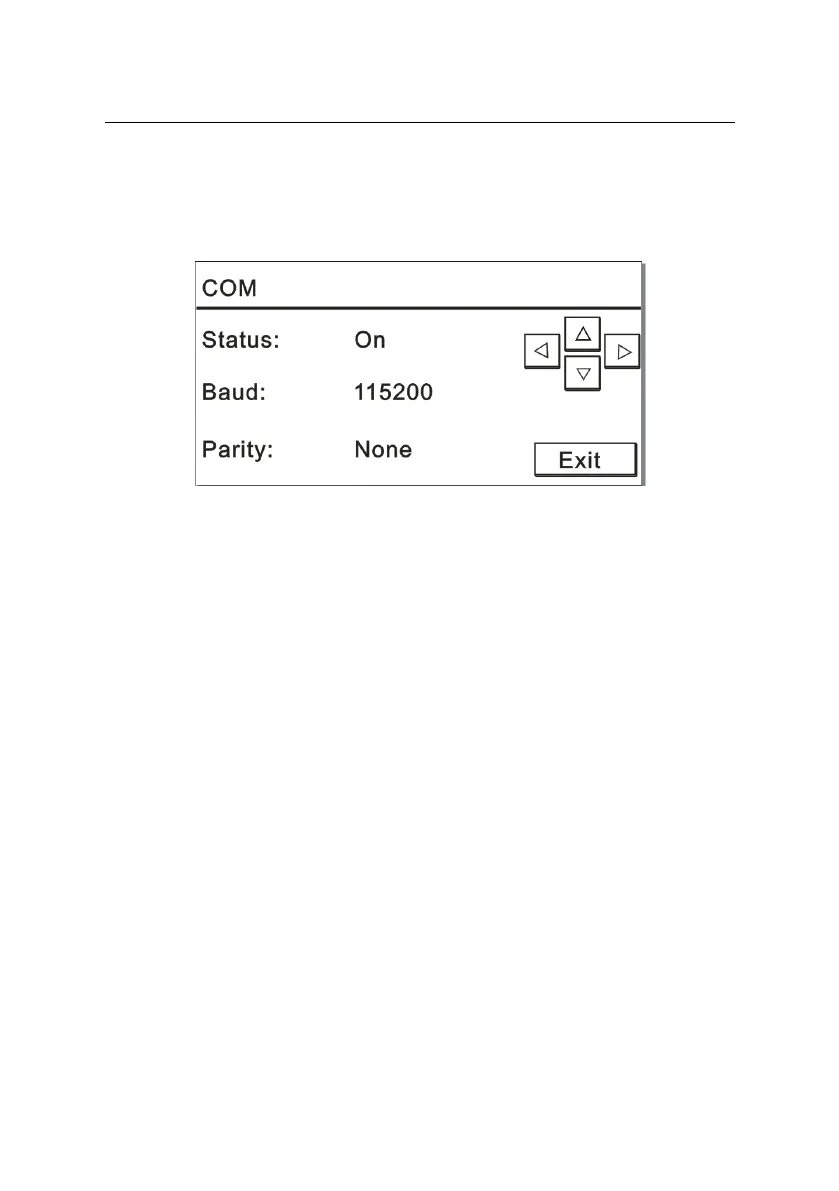
In the system setup interface, press “3” to open the “COM” window.
The screen is displayed as Figure 6-18:
Figure 6-18
You can set the parameters for COM communication. Press left and
right keys to select the desired parameters.
You can select “On” or “Off” for COM status. If you select “On”, the
parameters will be displayed in the COM parameter-setup interface.
There are five options for baud rate, i.e. 9600, 19200, 38400, 57600
and 115200.
After determining the baud rate, you can select the check parameters;
for parity check, there are three options, including “Odd”, “Even” and
“None”.
6.4.4 Contrast setup
Due to fluctuation of environmental temperature, personal habits or
other external factors, the screen contrast may be not very satisfying.
You can adjust the contrast according to the following procedure.
In the system setup interface, press “4” to open the “Contrast” window.
The screen is displayed as Figure 6-19:



 To Next Page