WP21 Series Operation Manual Chapter 6 Software Operation
54
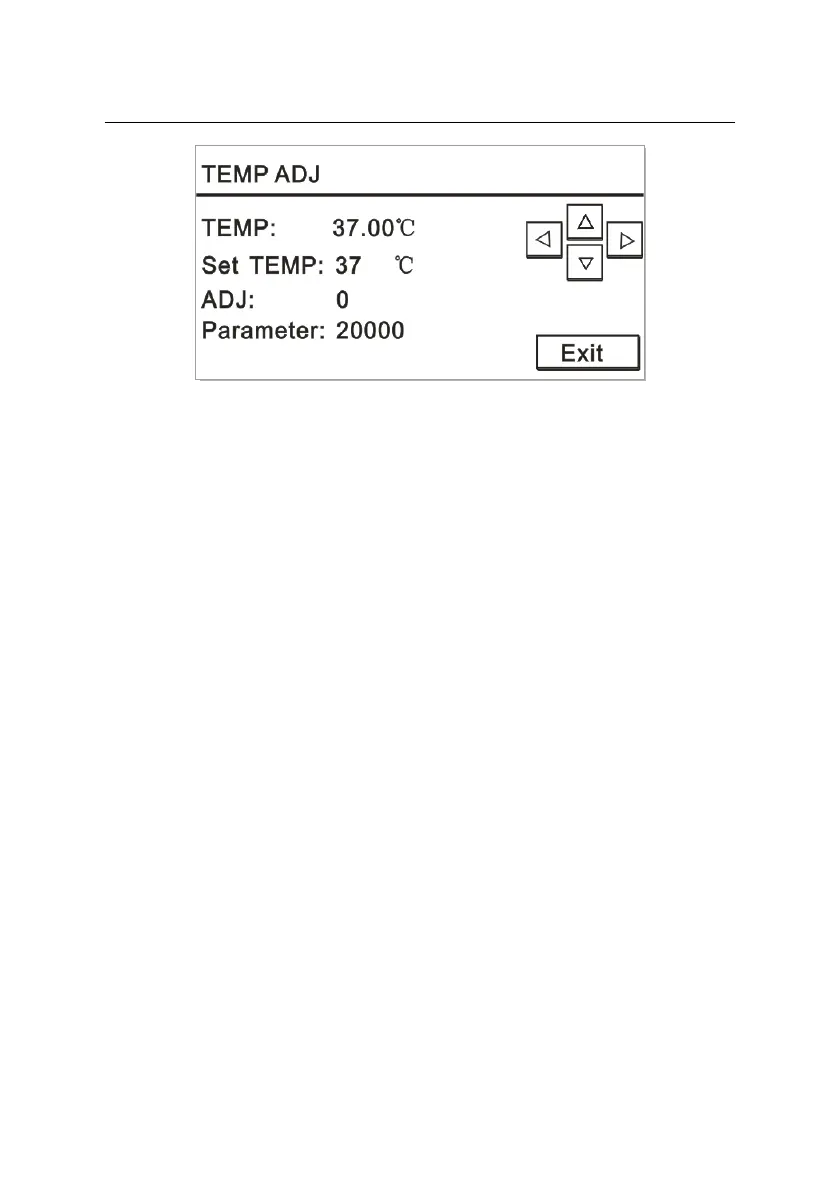
Figure 6-21
Press the up, down, left and right keys on the keyboard to set the
parameters.
“TEMP” is used to observe the real-time temperature changes of
colorimetric cells during running.
For “Set TEMP”, you have two options: 30℃ and 37℃.
“ADJ” is used to perform fine tuning for the working temperature of
colorimetric cells.
“Parameter” indicates the default base value.
A thermometer is required for comparative adjustment.
6.5.2 Aspiration volume setting
In the “Maintain” interface, press “2” to open the “Set ASP” window.
The screen is displayed as Figure 6-22:


 To Next Page