WP21 Series Operation Manual Chapter 6 Software Operation
41
9) Unit
Operation: Use left and right cursor keys to choose
Options: μ/L, μ/mL, μmol/L, mmol/L, g/L, mg/L, g/dL, g/mL, X10
12/dL, ABS
If you enter a patient number that does not exist, the system will
display “This No. is not present”. Then, the system will automatically
return to the “Add Results” interface.
After adding, press “Exit” key to save and exit.
6.2.3 To search results
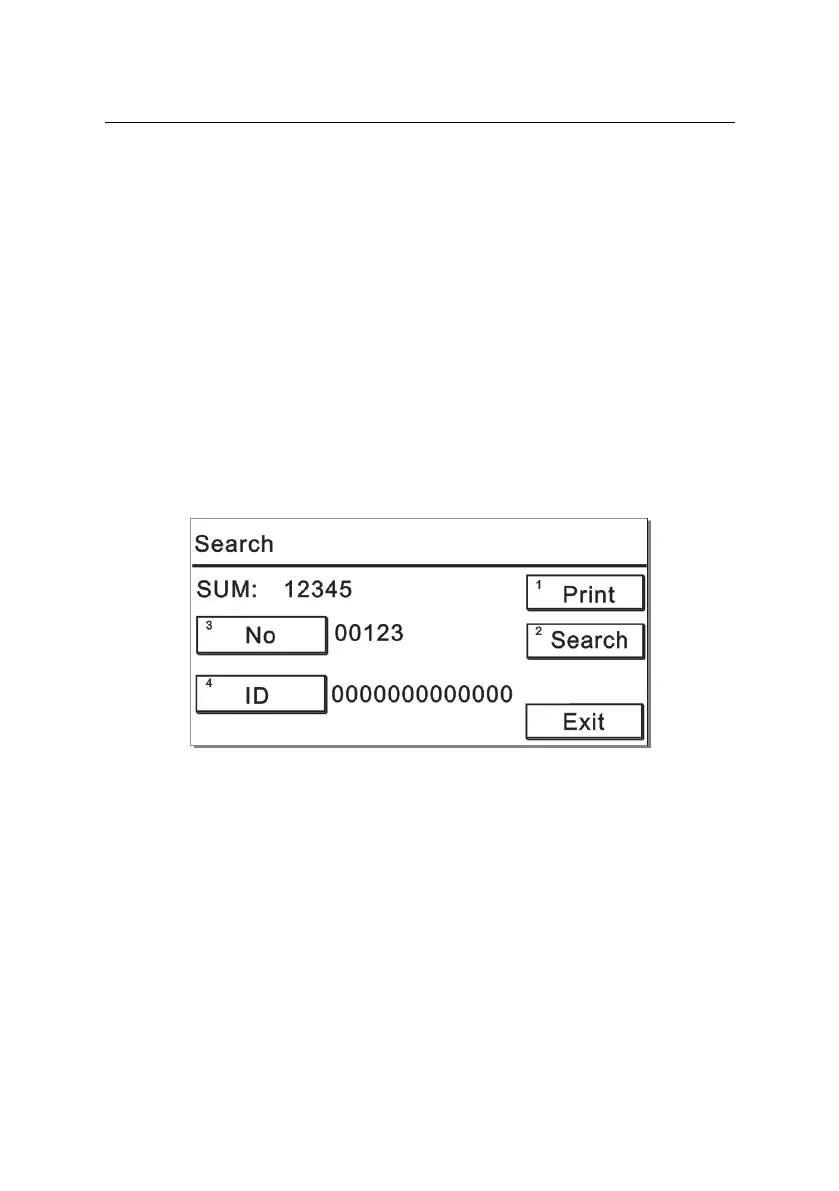
Press “3” on the “Result” interface to display a screen like Figure 6-7:
Figure 6-7
1) Entering the “No.”
Operation: Press the number key “3” to open the keyboard
interface. And then enter the “No.” directly.
2) Entering the ID
Operation: Press the number key “4” to open the keyboard
interface. And then enter the “ID” directly.



 To Next Page