1.3.26
STATION ESTABLISHMENT CHAPTER 3
GEODIMETER SYSTEM 600
PRG
20
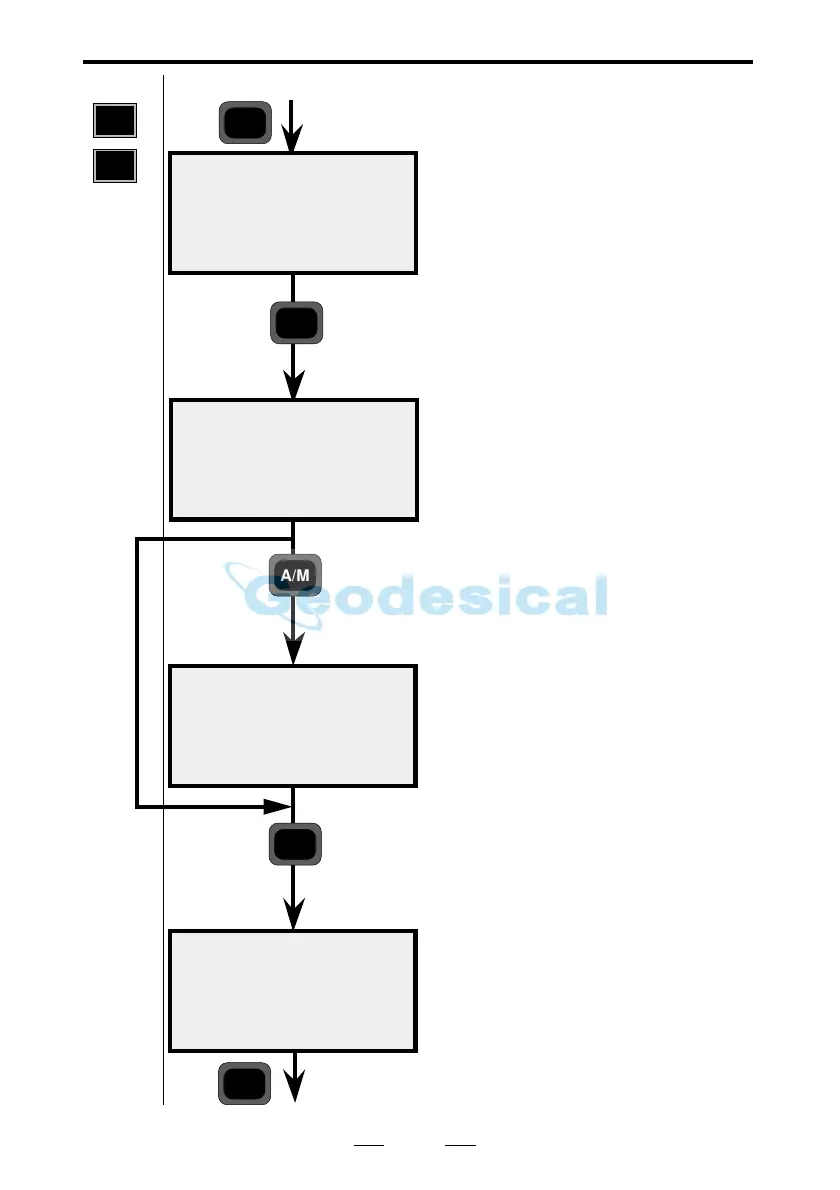
From previous page
Enter the signal height (SH) and press
ENT
The instrument is now in theodolite
position and is ready to measure. Aim
at the chosen target. Press the A/M
key if distance is to be measured,
otherwise REG.
The instrument displays HA, VA and
SD for your first point. Your
measurement can now be registered.
Press the REG key.
Here the difference between measured
and theoretical horizontal distance
(HD) is shown. Press YES to accept
or NO to redo the measurement or
select another reference point.
10:18
SH: 0.000_
STD P20 10:18*
HA:xxx.xxxx
VA:xxx.xxxx
STD P20 10:18*
HA:xxx.xxxx
VA:xxx.xxxx
SD:xxx.xxx
Result
Diff HD: -0.003
Ref ok?
ENT
A/M
REG
YES
Note ! ☛
Diff HD
is shown
only if
distance
has been
measured
YES
Note ! ☛
Only
shown if
height
should be
determined
Known stn+



 To Next Page