1.1.17
INTRODUCTION CHAPTER 1
GEODIMETER SYSTEM 600
See previous page.
Key in the present value for
temperature e.g + 20
°
C. Press
ENT.....
Key in the present value for air
pressure e.g 760mm/Hg. Press
ENT...
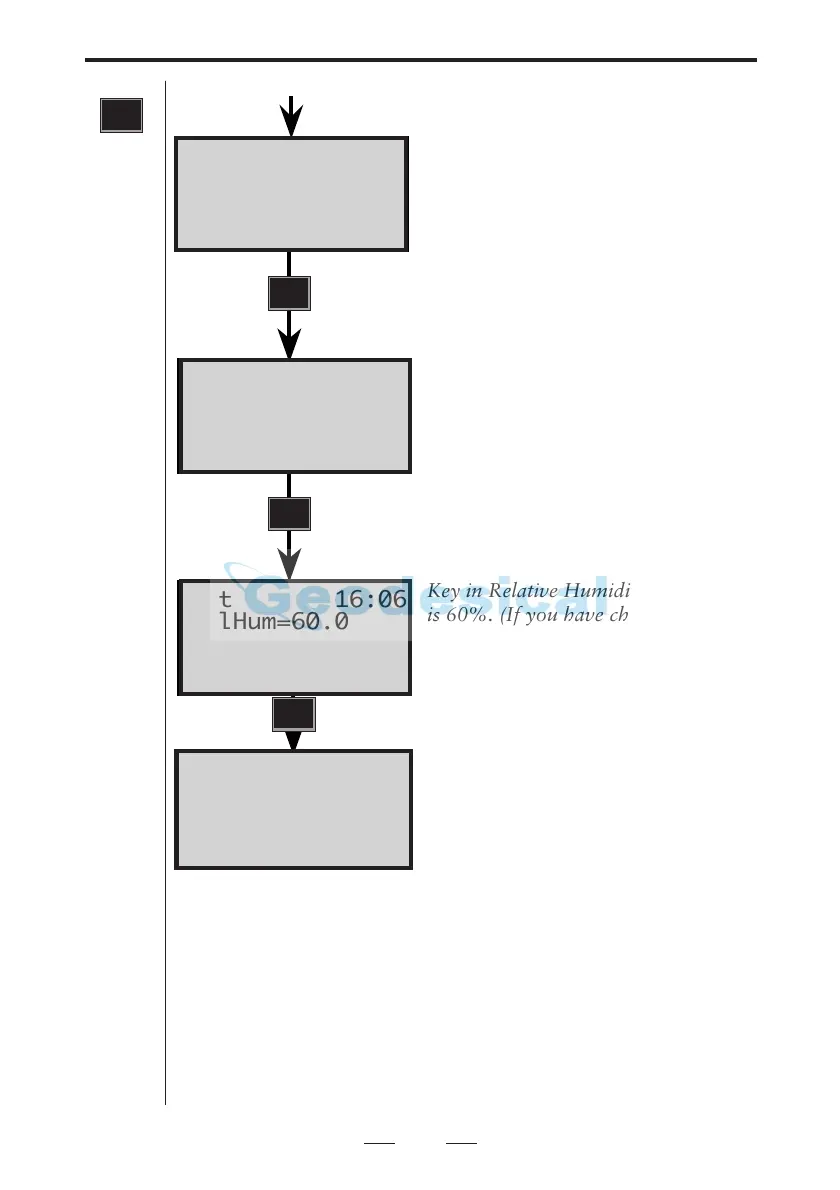
Key in Relative Humidity. Default
is 60%. (If you have choosen Wet
Temperature from MNU6.5 this
will be shown instead.)
The correction factor is immediately
calculated and shown in the display.
Input at label 56 and 74, via Function key also alters PPM
value. The PPM value can also be set directly by enter at
label 30.
Fast step-through menu
When you have become well aquainted with the menu
structure it is very easy to step to a submenu with a mini-
mum of key strokes. To go to menu 1.4.1, Set time (see
Appendix B) simply press the MNU-key followed by 141.
MNU
ENT
ENT
Set 16:06
RelHum=60.0
Set 16:06
Press = 760.00
Set 16:06
Temp = 20.0
Set 16:06
RelHum=60.0
PPM=0.6
ENT
Note!
This
menu is
shown
only if
the
switch
"PPM
Adv." is
enabled
in
MNU6.1
☛



 To Next Page