1.1.18
INTRODUCTION CHAPTER 1
GEODIMETER SYSTEM 600
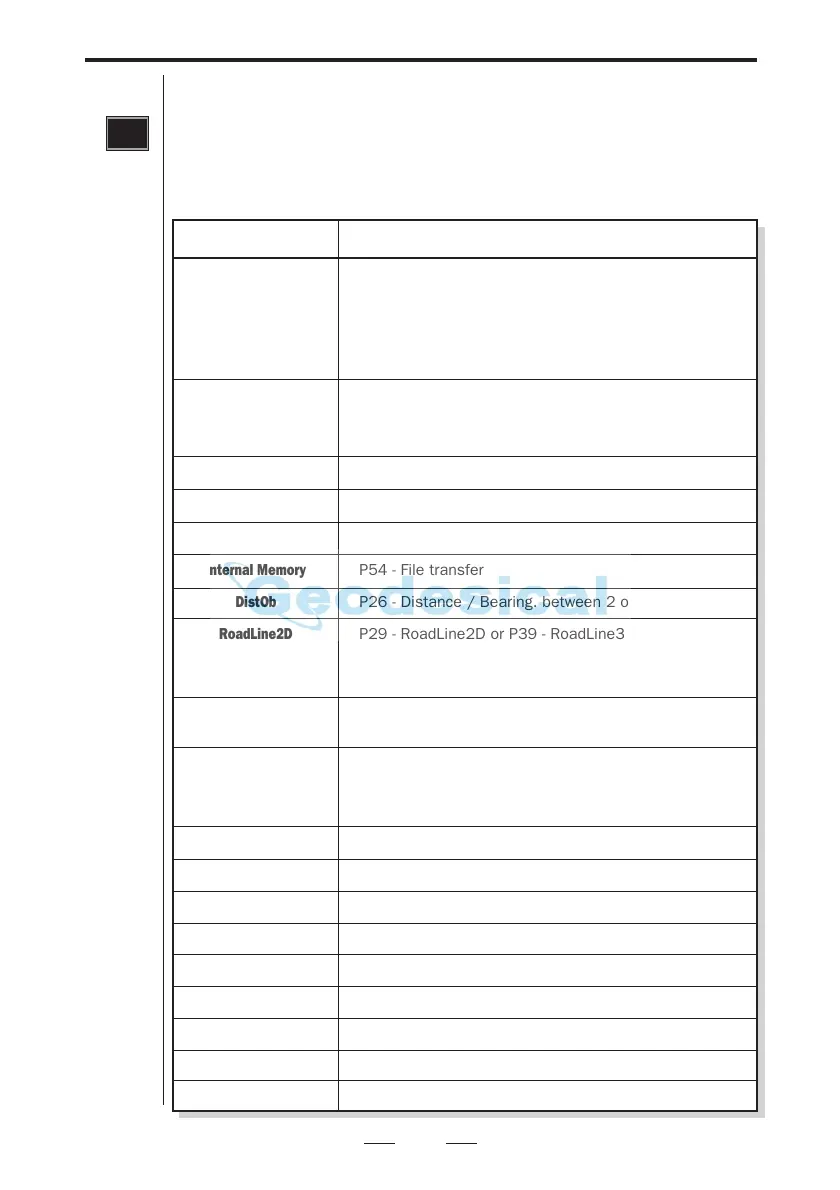
Program key
Choice of program. With this key you select the different programs
installed in your Geodimeter. The programs comprise a number of
different options which are listed below. The operating instructions
for each program are described in a separate manual called
"Geodimeter Software & Data communication".
PRG
UDS
Set Out
Pcode
Edit
View
Internal Memory
DistOb
RoadLine2D
or
RoadLine3D
Z/IZ
RefLine
Ang. Meas.
Station Establishment
Area Calc.
MCF
Obstructed Point
Measure Coord.
Angle Meas.+
CoGo
Athletics
Option
Programs Supplied
P1-19 - User Defined Sequences
P20 - Station Establishment incl. 3-dim. free station
P40 - Create UDS
P41 - Define Label
P43 - Enter Coordinates
P30 - Measure Coordinates directly to an Area file
P23 - Set Out
P20 - Station Establishment incl. 3-dim. free station
P43 - Enter Coordinates
P30 - Measure Coordinates directly to an Area file
P45 - Define Pcode
P54 - File Transfer
–
P54 - File transfer
P26 - Distance / Bearing. between 2 objects
P29 - RoadLine2D or P39 - RoadLine3D
P20 - Station Establishment incl. 3-dim. free station
P43 - Enter Coordinates
P30 - Measure Coordinates directly to an Area file
P21 - Ground/Inst. Elevation
P43 - Enter Coordinates
P24 - Reference line
P20 - Station Establishment incl. 3-dim. free station
P43 - Enter Coordinates
P30 - Measure Coordinates directly to an Area file
P22 - Angle Measurement (only for servo instruments)
P20 - Station Establishment incl. 3-dim. free station
P25 - Area & Volume Calculation
P27 - Moving Coordinates Forward
P28 - Obstructed Point
P30 - Measure Coordinates directly to an Area file
P32 - Angle Measurement +
P61 - CoGo
P60 - Athletics



 To Next Page