2-32
Operating Your Computer
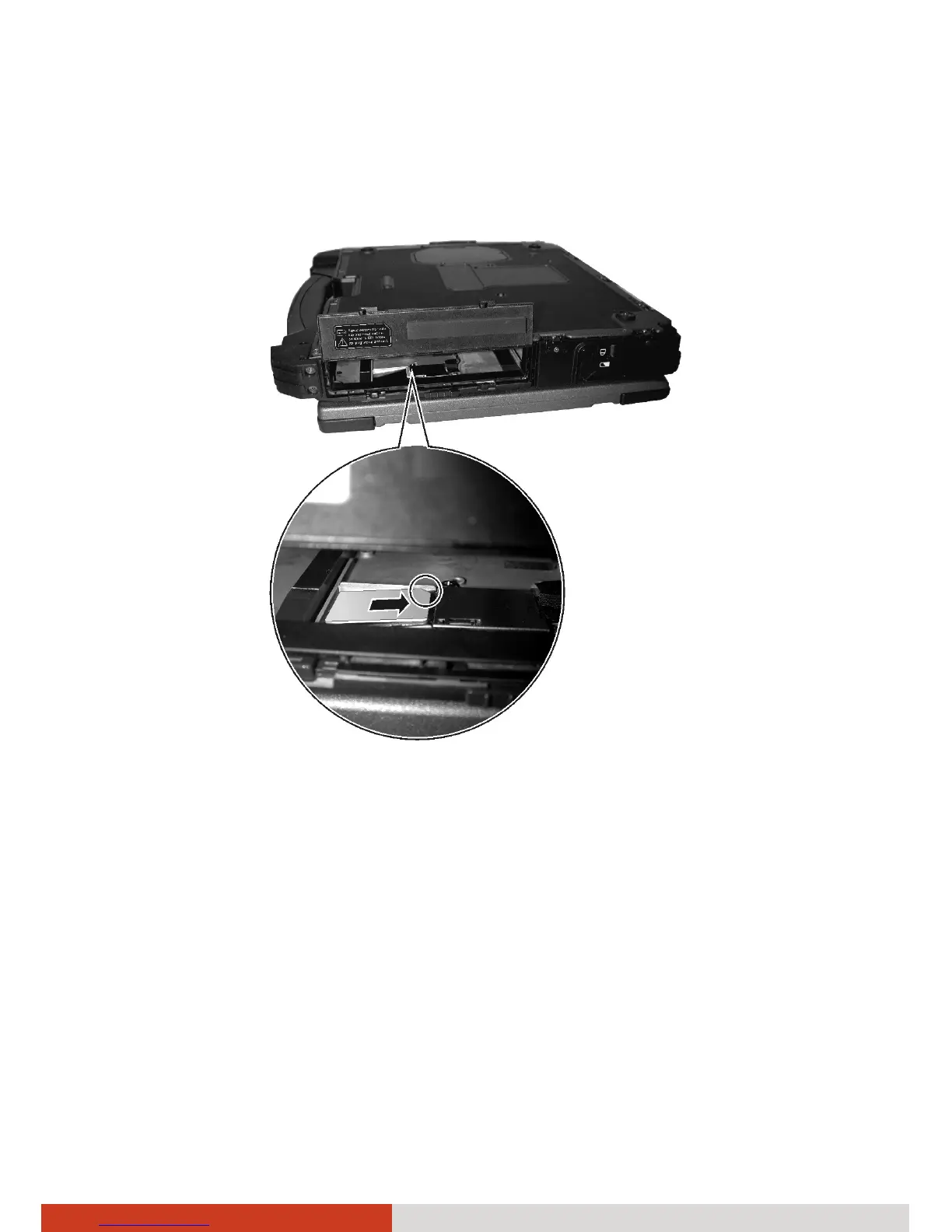
5. Locate the SIM card slot. Insert the SIM card into the slot. Make sure the
beveled corner on the SIM card is facing towards the slot and that the
golden contact area on the card is facing downwards.
6. Replace the media bay device.
7. Close the media bay cover.
NOTE: To remove the SIM card, push inward to release and slide the SIM
card out of the slot.



 To Next Page